
Mercedes Sedan Traffic Sign Recognition: Effortless Guide
Is your Mercedes sedan missing traffic signs? Or is it showing wrong speed limits? This guide makes your Mercedes traffic sign assist work perfectly. Learn how to activate, troubleshoot, and customize this essential safety feature for a smoother, safer drive.
Traffic Sign Recognition (TSR) in your Mercedes sedan is a genius feature. It reads road signs and displays them on your dashboard. Speed limits, no-passing zones, and other important signs pop up right where you need them. It’s like having a co-driver that never misses a sign.
But what happens when it doesn’t work? Or shows the wrong signs? Don’t worry! Many Mercedes owners face this. This guide breaks down everything. From basic activation to fixing common glitches, we’ll get your TSR working like new. Let’s dive in!
Frequently Asked Questions (FAQ)
- What is Traffic Sign Recognition in a Mercedes?
- It’s a system that uses cameras to read traffic signs and display them on your dashboard, helping you stay aware of speed limits and other important road information.
- How do I turn on Traffic Sign Assist in my Mercedes?
- Go to your car’s settings menu, usually under “Assistance” or “Driver Assistance,” and look for “Traffic Sign Assist” or “Traffic Sign Recognition.” Make sure it’s enabled.
- Why is my Mercedes showing the wrong speed limit?
- Several reasons: a dirty camera, outdated navigation data, or temporary road changes not yet in the system. Check the camera and update your maps.
- Can I adjust the alerts or warnings for Traffic Sign Assist?
- Yes, you can often adjust the volume or type of alerts in the settings menu. Some models allow you to set a speed limit tolerance before a warning is triggered.
- Does Traffic Sign Recognition work in all weather conditions?
- It works best in clear weather. Heavy rain, snow, or fog can reduce its accuracy. Keep your windshield clean for optimal performance.
- Is Traffic Sign Assist a standard feature on all Mercedes models?
- No, it may be an optional feature or part of a driver assistance package. Check your car’s specifications or window sticker to confirm if it’s included.
- How often should I update my Mercedes navigation maps?
- At least once a year, or more often if you drive in areas with frequent road changes. Updated maps help Traffic Sign Assist stay accurate.
Understanding Mercedes Traffic Sign Recognition

Mercedes-Benz Traffic Sign Recognition, often called Traffic Sign Assist, isn’t just a fancy gadget. It’s a smart safety feature. It boosts your awareness and helps you drive safer.
How It Works
The system uses a camera, usually mounted near the rearview mirror. This camera scans the road ahead, “reading” traffic signs. The car’s computer then interprets these signs.
The recognized signs appear on your instrument cluster or head-up display. You’ll see speed limits, no-passing signs, and even warnings about school zones. It’s like having a second pair of eyes.
Key Benefits
- Increased Awareness: Never miss a speed limit change again.
- Improved Safety: Stay informed in unfamiliar areas.
- Reduced Stress: Less guesswork, more confident driving.
Limitations
Like all tech, TSR isn’t perfect. Weather can affect its performance. Heavy rain or snow can block the camera’s view. Faded or damaged signs might not be recognized. Always stay alert and use your own judgment.
Is Traffic Sign Assist Standard on My Mercedes Sedan?

Not all Mercedes sedans come with Traffic Sign Assist as standard. It often depends on the model year, trim level, and optional packages. Here’s a general idea:
- Newer Models (2020+): More likely to have it, especially in higher trims like AMG versions.
- Older Models (pre-2020): Often optional, included in Driver Assistance Packages.
How to Check:
- Check Your Window Sticker: Look for “Traffic Sign Assist” or “Driver Assistance Package.”
- Review Your Car’s Manual: The manual will list all features.
- Check the Settings Menu: Go to “Assistance” or “Driver Assistance” in your car’s menu. If you see “Traffic Sign Assist,” you have it.
If you’re buying a used Mercedes, confirm with the seller if TSR is included. Don’t assume it’s there.
Step-by-Step: Activating Traffic Sign Assist

Okay, let’s get your Traffic Sign Assist up and running. Here’s how to activate it. The exact steps may vary slightly depending on your model and year, but this will give you a solid start.
- Start Your Engine: Make sure your Mercedes is turned on.
- Access the Settings Menu: Use the controls on your steering wheel to navigate to the main menu on your instrument cluster screen.
- Find “Assistance” or “Driver Assistance”: Look for a menu option labeled “Assistance,” “Driver Assistance,” or something similar. It might have a steering wheel icon.
- Locate Traffic Sign Assist: Scroll through the list until you find “Traffic Sign Assist” or “Traffic Sign Recognition.”
- Enable the Feature: Select the option and make sure it’s turned “On” or “Activated.” There might be a checkbox or a toggle switch.
- Customize (Optional): Some models allow you to customize the alerts. You might be able to adjust the volume or set a speed limit tolerance.
- Test It Out: Drive in an area with clear traffic signs to see if the system is working. The signs should appear on your instrument cluster or head-up display.
Example Menu Navigation:
Home > Vehicle > Assistance > Traffic Sign Assist > On
Pro Tip: If you’re having trouble finding the setting, consult your car’s owner’s manual. It has detailed instructions and diagrams.
Troubleshooting Common Issues
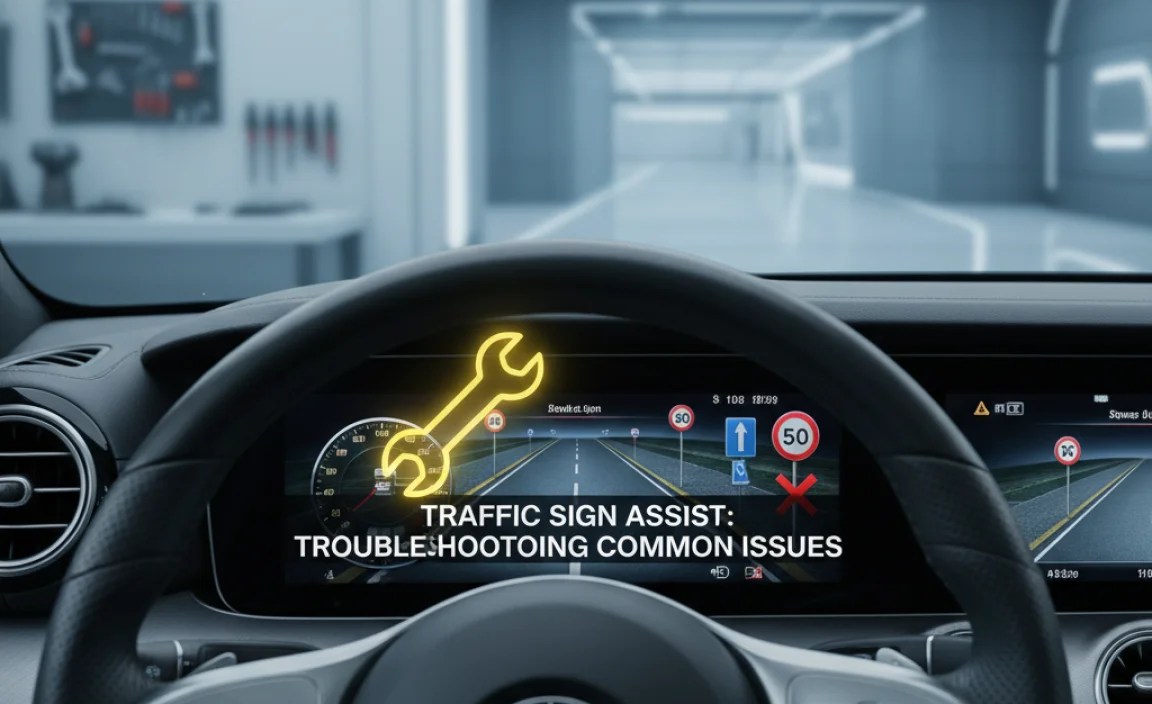
Is your Traffic Sign Assist acting up? Here’s how to troubleshoot common problems.
Problem 1: No Traffic Signs Displayed
- Check Activation: Make sure the system is turned on in the settings menu (as described above).
- Clean the Camera: A dirty windshield or camera lens can block the view. Clean both thoroughly. Use a microfiber cloth and glass cleaner.
- Check for Obstructions: Make sure nothing is blocking the camera’s view from the inside (e.g., a phone mount, toll transponder).
- Restart the System: Turn off your car, wait a few minutes, and restart it. This can sometimes reset the system.
Problem 2: Incorrect Speed Limits
- Update Navigation Maps: Outdated maps can cause incorrect readings. Update your maps through the Mercedes Me app or your dealer.
- Check for Temporary Signs: Road construction or temporary speed limits might not be in the system. The car relies on both camera and map data.
- Calibrate the System: In rare cases, the system might need calibration. Your dealer can do this.
Problem 3: System Not Working in Certain Conditions
- Weather Conditions: Heavy rain, snow, fog, or direct sunlight can affect performance. This is normal.
- Sign Visibility: Faded, damaged, or obstructed signs might not be recognized.
When to Seek Professional Help
If you’ve tried these steps and the system still isn’t working, it’s time to see a Mercedes-Benz technician. There might be a deeper issue with the camera, sensors, or software.
Maintaining Your Traffic Sign Recognition System

Keep your Traffic Sign Assist in top shape with these maintenance tips.
Keep the Camera Clean
The camera is the “eye” of the system. Clean it regularly with a microfiber cloth and glass cleaner. Remove any dirt, bugs, or debris.
Update Your Navigation Maps
Current maps are crucial for accurate speed limit information. Update your maps at least once a year, or more often if you drive in areas with frequent road changes.
Check for Software Updates
Mercedes-Benz occasionally releases software updates that improve system performance. Check for updates through the Mercedes Me app or at your dealer.
Windshield Care
A cracked or damaged windshield can interfere with the camera’s view. Repair any damage promptly.
Professional Inspections
During your regular Mercedes service appointments, ask your technician to inspect the Traffic Sign Assist system. They can check for any issues and perform necessary calibrations.
Customizing Traffic Sign Assist Settings
Many Mercedes models allow you to customize the Traffic Sign Assist settings to your preferences. Here’s what you can typically adjust:
- Warning Volume: Adjust the volume of the audible alerts. Some drivers prefer a subtle chime, while others want a louder warning.
- Speed Limit Tolerance: Set a tolerance for speed limit warnings. For example, you can set it to warn you only if you exceed the speed limit by 5 mph or more.
- Visual Alerts: Choose where the traffic signs are displayed (e.g., instrument cluster, head-up display).
- Sign Recognition Options: Some models let you choose which types of signs are displayed (e.g., speed limits, no-passing zones, school zones).
How to Access Customization Settings:
- Go to the “Assistance” or “Driver Assistance” menu in your car’s settings.
- Look for “Traffic Sign Assist” or “Traffic Sign Recognition.”
- You should find options to adjust the volume, speed limit tolerance, and other settings.
Experiment with the settings to find what works best for you. A little customization can make the system even more helpful.
Traffic Sign Recognition vs. Other Driver Assistance Systems
Traffic Sign Recognition is just one piece of the puzzle. Mercedes-Benz offers a range of driver assistance systems that work together to enhance safety and convenience. Here’s how TSR compares to some other key features:
| Feature | Description | How It Works | Benefit |
|---|---|---|---|
| Traffic Sign Recognition | Displays traffic signs on the dashboard. | Camera reads signs; system interprets and displays them. | Increased awareness of speed limits and other regulations. |
| Active Lane Keeping Assist | Helps keep the car in its lane. | Sensors detect lane markings; steering gently corrects if the car drifts. | Reduces the risk of unintentional lane departures. |
| Adaptive Cruise Control | Maintains a set speed and distance from the car ahead. | Radar sensors monitor traffic; the car automatically accelerates or brakes. | Reduces driver fatigue on long trips. |
| Blind Spot Assist | Warns you of vehicles in your blind spots. | Sensors detect vehicles; a warning light appears on the side mirror. | Helps prevent collisions when changing lanes. |
| Automatic Emergency Braking | Automatically applies the brakes in an emergency. | Sensors detect potential collisions; the system warns the driver and can apply the brakes. | Reduces the severity of accidents. |
These systems are designed to complement each other. Traffic Sign Recognition provides information, while other systems take active steps to prevent accidents. When used together, they create a safer and more comfortable driving experience.
Real-World Scenarios: How TSR Helps
Let’s look at some real-world scenarios where Traffic Sign Recognition can make a big difference.
- Entering a New Town: You’re driving into a new town and the speed limit suddenly drops. TSR instantly displays the new limit, helping you avoid a speeding ticket.
- Road Construction: You’re driving through a construction zone with temporary speed limits. TSR picks up the temporary signs, keeping you informed.
- School Zones: You’re driving near a school during drop-off or pick-up time. TSR alerts you to the reduced speed limit, helping you protect children.
- Foggy Conditions: Visibility is poor due to fog. TSR helps you see the speed limit even when the actual sign is hard to spot.
- Long Road Trips: You’re tired on a long road trip. TSR helps you stay alert to speed limit changes, reducing mental fatigue.
In each of these scenarios, Traffic Sign Recognition acts as a valuable co-driver, providing crucial information and helping you make safer decisions.
The Future of Traffic Sign Recognition
Traffic Sign Recognition technology is constantly evolving. Here’s a glimpse into the future:
- Improved Accuracy: Future systems will use more advanced cameras and sensors for even more accurate sign recognition.
- Integration with Navigation: TSR will be even more tightly integrated with navigation systems, providing real-time updates on road conditions and hazards.
- Predictive Technology: Future systems may be able to predict upcoming speed limit changes based on location and time of day.
- Over-the-Air Updates: Software updates will be delivered wirelessly, keeping the system up-to-date with the latest features and improvements.
- Enhanced Safety Features: TSR will work more closely with other driver assistance systems to provide even greater safety.
As technology advances, Traffic Sign Recognition will become an even more essential part of the driving experience, helping to make roads safer for everyone.
Conclusion
Mercedes-Benz Traffic Sign Recognition is a valuable feature that enhances safety and awareness on the road. By understanding how the system works, how to troubleshoot common issues, and how to maintain it, you can ensure it performs optimally. Whether you’re navigating city streets or embarking on a long road trip, Traffic Sign Assist is a reliable co-driver that helps you stay informed and in control. Keep your camera clean, update your maps, and don’t hesitate to seek professional help when needed. With a little care and attention, your Traffic Sign Recognition system will provide years of dependable service, making every drive a little safer and more enjoyable.
“`


