
Mercedes SUV Remote Features: Effortless Power
Mercedes SUV Remote Features: Effortless Power at Your Fingertips
Unlock a new level of convenience with your Mercedes-Benz SUV’s remote features. These advanced technologies allow you to control vital functions of your vehicle from a distance, offering enhanced security, comfort, and preparedness for any journey. Get ready to experience effortless power like never before.
Welcome to MercedesBlue, where we demystify the world of Mercedes-Benz. Today, we’re diving into the incredibly useful remote features found in many Mercedes-Benz SUVs. Ever wished you could start your engine on a freezing morning, find your car in a crowded parking lot, or check its status without even being near it? Your Mercedes SUV can likely do that, and more! Navigating these high-tech tools can sometimes feel daunting, but we’re here to break it down. Let’s explore how these features work and how they can make your ownership experience smoother and more enjoyable. Get ready to master your Mercedes SUV’s remote capabilities.
Understanding Your Mercedes SUV Remote Features

Mercedes-Benz has long been a pioneer in automotive innovation, and their SUVs are no exception. The remote features integrated into these vehicles leverage sophisticated technology to provide owners with unparalleled control and peace of mind. These aren’t just fancy gadgets; they represent a significant enhancement to the luxury and practicality of owning a Mercedes-Benz SUV. From the convenience of remote start to the security of remote locking, these features are designed to seamlessly integrate into your daily life.
The core of these remote capabilities often lies within the Mercedes me connect ecosystem. This digital platform, accessible via a smartphone app, connects your vehicle to your digital life, extending its functionality far beyond the driver’s seat. It’s about bringing the power of control directly to your fingertips, simplifying tasks and enhancing your overall driving experience. Whether you’re a seasoned Mercedes-Benz owner or new to the brand, understanding these features can significantly elevate your appreciation for the engineering and convenience packed into your SUV.
Key Remote Features at a Glance
Your Mercedes-Benz SUV likely comes equipped with a suite of remote features designed for maximum convenience and security. While specific availability can vary by model, year, and optional packages, here are some of the most common and powerful remote functionalities you can expect:
- Remote Engine Start: Warm up or cool down your cabin before you even step outside. Perfect for extreme weather conditions, ensuring a comfortable environment upon entry.
- Remote Lock/Unlock: Secure your vehicle or grant access to others remotely. Never worry again if you forgot to lock your doors or need to let someone in.
- Remote Retrieval of Vehicle Status: Check essential information like door lock status, window status, fuel level, tire pressure, and mileage directly from your app.
- Vehicle Finder: Easily locate your SUV in a large parking lot or unfamiliar area using a map view within the Mercedes me app.
- Remote Door Control: In some models, you can even remotely manage specific doors, such as opening or closing the tailgate.
- Pre-entry Climate Control: Beyond just starting the engine, some systems allow for precise control over the climate settings, ensuring your ideal temperature is ready.
- Vehicle Monitoring: Receive alerts for certain events, such as if your vehicle is moved while parked, providing an extra layer of security.
The Power of Mercedes me connect
The Mercedes me connect service is the digital backbone that enables many of these advanced remote features. It’s a comprehensive suite of digital services that connect you to your car in new and exciting ways. To access these features, you’ll typically need to:
- Download the Mercedes me App: Available for both iOS and Android devices from your respective app store.
- Create a Mercedes me Account: Follow the on-screen instructions to set up your personal account.
- Pair Your Vehicle: This usually involves a unique code provided by your dealership or generated within the vehicle’s infotainment system, linking your car to your account.
- Activate Services: Once paired, you can enable and manage the specific remote features you wish to use, often requiring an active subscription for certain functions.
The Mercedes me app acts as your central command center, putting powerful controls right in your pocket. It’s designed with an intuitive interface, making it easy for anyone to navigate and utilize its full potential. For more detailed information on the Mercedes me connect services and their availability, visit the official Mercedes-Benz brand website.
How to Use Your Mercedes SUV Remote Features: A Step-by-Step Guide

Getting started with your Mercedes SUV’s remote features is designed to be straightforward. We’ll walk you through the common steps, focusing on the Mercedes me app as the primary interface for most modern vehicles.
1. Initial Setup and Pairing
This is the foundational step and might seem a bit technical, but it’s crucial for unlocking all the remote capabilities.
- Pre-requisites: Ensure you have a compatible smartphone, an active internet connection, and your Mercedes-Benz SUV.
- Download the Mercedes me App: Find it on the Apple App Store or Google Play Store. Search for “Mercedes me.”
- Register/Login: Open the app and either create a new Mercedes me account or log in if you already have one.
- Link Your Vehicle: This is the most critical part. The app will guide you through linking your car. You might need to:
- Enter your vehicle’s VIN (Vehicle Identification Number).
- Obtain a pairing code from your vehicle’s Head Unit (infotainment system) by navigating through its menus (often found under “Settings” > “Mercedes me” or similar).
- Enter this pairing code into the Mercedes me app.
- Accept terms and conditions within the vehicle and the app.
- Subscription Activation: Some remote features (like Remote Engine Start) may require a subscription to Mercedes me connect services. You’ll typically be prompted to activate or purchase these within the app or through your Mercedes-Benz dealer.
2. Utilizing Remote Engine Start
This feature is a lifesaver during harsh weather, allowing you to pre-condition the cabin.
- Open the Mercedes me App: Ensure your vehicle is successfully paired and the service is active.
- Navigate to “Vehicle Status”: Look for a section that shows your car’s current status.
- Select “Remote Engine Start”: Tap on this option.
- Configure Settings: You’ll likely have options to set the duration the engine should run (e.g., 10-15 minutes) and potentially pre-set the climate control temperature.
- Confirm: Tap the “Start Engine” or similar button.
- Verification: You should receive a confirmation within the app, and the engine will start. Your vehicle doors will remain locked for security during remote start.
Important Note: Remote Engine Start is designed for initial heating or cooling. Accessing the vehicle will typically require using your key fob for unlocking and then deactivating the remote start system by pressing the brake pedal (which is standard procedure before driving).
3. Mastering Remote Lock/Unlock
Gain peace of mind by ensuring your vehicle is secure or granting access when needed.
- Open the Mercedes me App: Ensure your vehicle is paired.
- Locate “Door Lock/Unlock”: This control is usually prominent on the app’s dashboard or within the “Vehicle Control” section.
- Tap “Lock” or “Unlock”: The app will send the command to your vehicle.
- Confirmation: You’ll receive a notification confirming the action. For security, unlocking might require an extra authentication step within the app, like Face ID or a PIN.
4. Finding Your Vehicle with Vehicle Finder
Never waste time searching for your SUV again.
- Access the “Vehicle Finder” Feature: This is typically found on the main screen of the Mercedes me app.
- View Map: Your current vehicle location will be displayed on a map interface.
- Navigation: You can often tap directions to be guided directly to your parked SUV.
5. Checking Vehicle Status
Stay informed about your SUV’s condition no matter where you are.
- Navigate to “Vehicle Status” in the App: This section provides a snapshot of your vehicle’s health and status.
- Review Information: You can typically view:
- Door and window lock status
- Fuel level and remaining range
- Tire pressure and recommended inflation PSI
- Current mileage
- Service needs
Comparing Remote Feature Availability Across Models
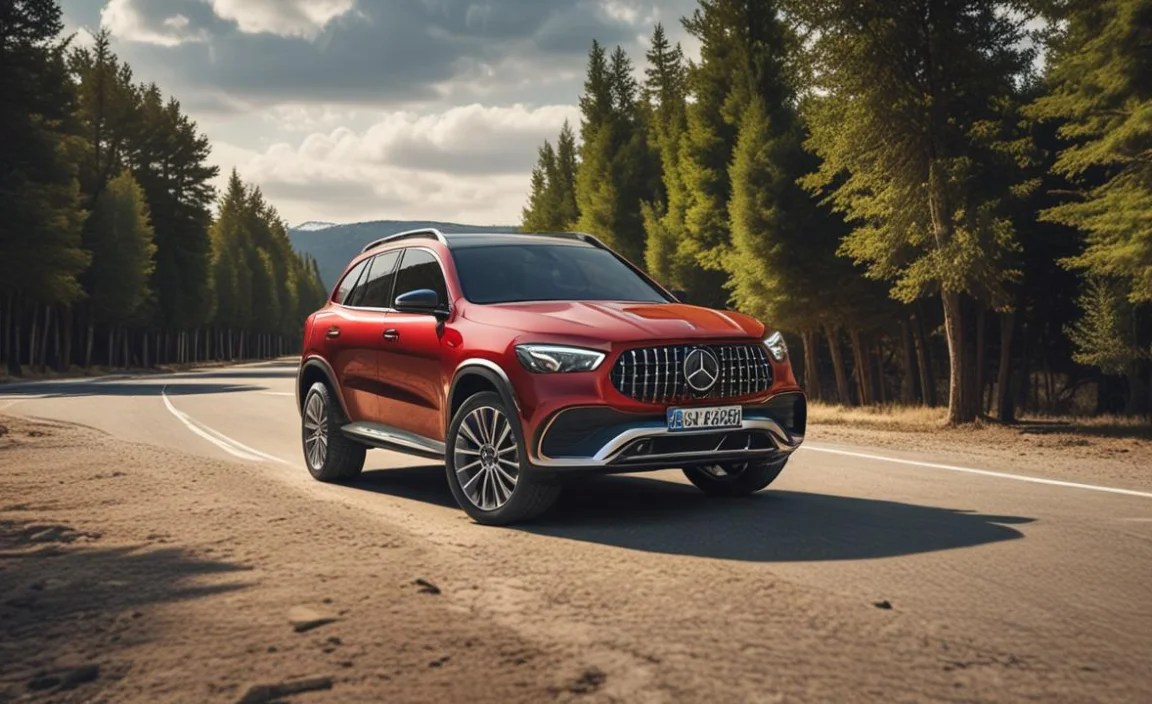
Mercedes-Benz offers a diverse range of SUVs, from the compact GLA to the expansive GLS. The availability and sophistication of remote features can vary significantly between these models and their respective model years. As a general rule, newer models and higher trim levels tend to offer a more comprehensive suite of connected services.
Here’s a general guide to what you might expect, keeping in mind that this is not exhaustive and specific options can always differ:
Compact & Mid-Size SUVs (GLA, GLB, GLC)
These models often come with the core Mercedes me connect services, focusing on essential convenience and security.
- Remote Lock/Unlock
- Vehicle Status Checks (doors, windows, fuel)
- Vehicle Finder
- Remote Door Control (e.g., tailgate)
- Basic pre-entry climate control (depending on climate package)
Full-Size & Performance SUVs (GLE, GLS, G-Class, AMG variants)
The larger and more premium SUVs typically boast the most advanced remote capabilities, often bundled with higher trim levels or optional packages.
- All features listed for compact/mid-size models
- Remote Engine Start (often standard or widely available)
- Advanced pre-entry climate control with scheduling
- Vehicle Monitoring and Anti-Theft Alarms
- Concierge Services (access to human assistance via the app)
- Live Traffic Information and Online Navigation Integration
Model Year Considerations
The introduction and evolution of the Mercedes me connect platform mean that older models might have fewer remote features or require different methods of access. For instance, vehicles from before the widespread adoption of the Mercedes me app might rely more on the physical key fob’s remote functions or different telematics systems.
To get the most accurate information for your specific vehicle, always consult:
- Your vehicle’s owner’s manual.
- The Mercedes-Benz build tool or specifications sheet for your desired model.
- Your local Mercedes-Benz dealership or authorized service center.
A helpful resource for understanding automotive technology trends is the SAE International, which provides insights into vehicle connectivity standards.
Table: Common Mercedes SUV Remote Features & Benefits

Understanding the benefits of each feature can help you maximize your ownership experience.
| Remote Feature | Primary Purpose | Key Benefit | Typical Availability |
|---|---|---|---|
| Remote Engine Start | Pre-condition cabin temperature | Comfort in extreme weather, saves time | Mid to High-end models, newer years, optional |
| Remote Lock/Unlock | Secure vehicle and grant access | Peace of mind, convenience for others | Most models, standard |
| Vehicle Status | Monitor key vehicle metrics | Informed decision-making (e.g., range for trips), security checks | Most models, standard |
| Vehicle Finder | Locate parked vehicle | Saves time and reduces stress in large parking areas | Most models, standard |
| Remote Tailgate | Open/close rear cargo door | Hands-free access, convenience when carrying items | Varies by model and trim |
Security and Privacy Considerations
While Mercedes-Benz invests heavily in securing its connected services, it’s wise for owners to be aware of best practices.
- Strong Passwords: Use a unique and strong password for your Mercedes me account.
- Two-Factor Authentication (2FA): If available, enable 2FA for an extra layer of security.
- Secure Your Smartphone: Use strong PINs, passwords, or biometric locks on your smartphone, as it’s the gateway to your car’s remote functions.
- Beware of Phishing: Be cautious of suspicious emails or messages asking for your Mercedes me login credentials. Mercedes-Benz will not typically ask for this information via email.
- Regular Updates: Keep both the Mercedes me app and your smartphone’s operating system updated to ensure you have the latest security patches.
- Review Permissions: Periodically review the permissions granted to the Mercedes me app and remove any that seem unnecessary.
The security framework for connected vehicles is a complex and evolving field. Organizations like the National Institute of Standards and Technology (NIST) provide guidance on cybersecurity best practices that are relevant to protecting connected devices and personal data.
Frequently Asked Questions (FAQ)
Q1: Do all Mercedes-Benz SUVs have remote start?
No, remote engine start is not a standard feature on all Mercedes-Benz SUV models and can vary by model year and optional packages. It is more common on higher trim levels and newer vehicles.
Q2: How much does Mercedes me connect cost?
The Mercedes me connect service itself is often free for a period after purchase, but certain advanced remote features, like Remote Engine Start, typically require an ongoing subscription after the initial trial. Pricing varies, so check with your dealer or the Mercedes me portal.
Q3: Can I use the remote features without a smartphone?
For most advanced remote features like Remote Engine Start or Vehicle Finder, a smartphone with the Mercedes me app is required. However, basic functions like locking and unlocking can still be performed using the physical key fob.
Q4: What happens if my phone battery dies and I need to unlock my car?
Your physical key fob contains a hidden mechanical key that can be used to unlock the driver’s door manually. Once inside, you can use the ignition to start the car or power up the infotainment system.
Q5: How do I know if my Mercedes SUV is compatible with the Mercedes me app?
Most Mercedes-Benz vehicles manufactured from approximately 2016 onwards are compatible. The best way to confirm is to check your owner’s manual or ask your Mercedes-Benz dealership. Your VIN can be used to determine specific compatibility.
Q6: Is my vehicle’s data safe with Mercedes me connect?
Mercedes-Benz employs industry-standard security measures to protect your data. However, like all connected services, it’s important for owners to also practice good digital hygiene, such as using strong passwords and keeping software updated.
Q7: Can I control my Mercedes SUV remotely from anywhere in the world?
Yes, as long as both your smartphone and your vehicle have a stable internet connection (via cellular or Wi-Fi), you can generally control your Mercedes-Benz SUV remotely from anywhere globally.
Conclusion
The remote features in your Mercedes-Benz SUV are more than just technological novelties; they are a sophisticated extension of the luxury and convenience that define the Mercedes-Benz experience. From ensuring your cabin is the perfect temperature before you step inside to providing instant security checks and vehicle location, these features are designed to simplify your life and enhance your confidence on the road.
By taking a few minutes to set up the Mercedes me app and familiarize yourself with its capabilities, you unlock a powerful toolset that works for you. Remember to consult your vehicle’s specific documentation for the most accurate details on feature availability and operation. Embrace the effortless power that Mercedes-Benz technology puts at your fingertips. It’s about making every interaction with your SUV as refined and enjoyable as the drive itself. Drive with peace of mind, knowing your Mercedes SUV is always connected and under your command.


