
Mercedes V-Class Adaptive Cruise Control: Ultimate Effortless Driving
Unlock effortless driving in your Mercedes V-Class with Adaptive Cruise Control (ACC). This intelligent system automatically adjusts your speed to maintain a set distance from the vehicle ahead, significantly reducing driver fatigue on long journeys and in traffic. Learn how to activate, customize, and best utilize this advanced technology for a smoother, safer, and more relaxing driving experience.
Driving your Mercedes V-Class should be a pleasure, but long commutes and stop-and-go traffic can turn even the most enjoyable journeys into a chore. Constantly adjusting your speed and maintaining a safe distance can be mentally taxing. Imagine a system that could help ease that burden, allowing you to relax more and focus on the road ahead without the constant effort of micro-managing your speed. That’s precisely what Mercedes-Benz’s innovative Adaptive Cruise Control (ACC) system aims to achieve. It’s a sophisticated piece of technology designed to make your V-Class experience truly effortless. This guide will walk you through everything you need to know about your V-Class ACC, from understanding its basic functions to mastering its advanced settings.
Understanding Mercedes V-Class Adaptive Cruise Control (ACC)

At its heart, Adaptive Cruise Control (ACC) is an advanced driver-assistance system that does more than just maintain a set speed. Unlike traditional cruise control, which holds your speed rigidly, ACC uses sensors – typically radar and cameras – to monitor the vehicle directly in front of you. Based on this input, it can automatically accelerate, brake, and even come to a complete stop if the vehicle ahead slows down or stops, and then resume driving when traffic moves again. This “follow-to-stop” function is a key differentiator and a significant benefit for comfort and safety.
For the Mercedes-Benz V-Class, ACC is often part of a larger package known as DISTRONIC PLUS or simply DISTRONIC. This system is designed to reduce the driver’s workload, particularly in highway driving and convoy situations. It aims to provide a more relaxed and less stressful journey by intelligently managing your speed and distance relative to other vehicles.
How ACC Works: The Technology Behind the Comfort
The magic behind ACC lies in a sophisticated interplay of sensors and control units:
- Radar Sensors: Usually located behind the front grille or bumper, these sensors emit radio waves that bounce off surrounding objects. By analyzing the returning waves, the system can determine the distance, speed, and relative direction of other vehicles.
- Cameras: Often integrated into the windshield near the rearview mirror, cameras help recognize lane markings, other vehicles, and assist in identifying stationary objects or pedestrians. This visual input complements the radar data.
- Control Unit (ECU): This is the “brain” of the system. It processes the data from the sensors and makes decisions about acceleration and braking. It communicates these decisions to the engine and braking systems.
- Actuators: These are the components that physically carry out the ECU’s commands, managing the throttle for acceleration and the brake system for deceleration.
The system constantly calculates the required speed and braking to maintain the pre-selected gap to the vehicle ahead. If the vehicle ahead speeds up, ACC will accelerate your V-Class to the set cruise control speed. If the vehicle ahead slows down or stops, ACC will automatically reduce your speed, applying the brakes if necessary to maintain the chosen following distance, or even bring the V-Class to a standstill.
Activating and Setting Up Your ACC

Getting started with ACC in your Mercedes-Benz V-Class is straightforward. The controls are typically integrated into the steering wheel, making them easily accessible without taking your hands off the wheel for too long.
Locating the ACC Controls on Your Steering Wheel
Your V-Class steering wheel will feature a dedicated stalk or set of buttons for cruise control functions. While the exact layout can vary slightly depending on the model year and specific trim, you’ll generally find:
- On/Off Button: To engage or disengage the entire cruise control system.
- Set/+ Button: To set the desired speed or increase the set speed.
- Coast/- Button: To decrease the set speed or allow the vehicle to coast down.
- Cancel Button: To temporarily deactivate cruise control without erasing the set speed.
- Distance Setting Button: To adjust the following distance to the vehicle ahead.
Step-by-Step Guide to Engaging ACC
- Ensure Driving Conditions are Suitable: ACC is designed for highway driving or situations where traffic flow is relatively consistent. Do not use it in heavy city traffic with frequent unpredictable stops, on slippery roads, or in poor visibility conditions where sensors might be impaired.
- Activate the System: Press the ON/OFF button for the cruise control system. You should see an indicator light or a message appear on your instrument cluster, showing that cruise control is active and ready.
- Set Your Desired Speed: While driving at your preferred speed (typically above 12 mph or 20 km/h, but check your V-Class manual for exact minimum speeds), press the SET/+ button. The instrument cluster will display your currently set speed.
- Engage Adaptive Cruise Control: If your V-Class has DISTRONIC or ACC, it is usually engaged automatically once speed is set. The system will now monitor traffic ahead. You’ll typically see an icon on your dashboard indicating ACC is active and showing the set speed and selected following distance.
- Adjust Following Distance: Press the distance setting button. You’ll usually have several options, ranging from close to far. A visual representation of the selected gap (e.g., bars or segments) will appear on your display. Start with a comfortable distance and adjust as traffic conditions change.
Understanding Your Instrument Cluster Display
The instrument cluster is your primary interface with the ACC system. Pay attention to the following indicators:
| Indicator | Meaning |
|---|---|
| Speedometer Icon: | Shows your set cruising speed. |
| Vehicle Icon with Arrows: | Represents the car ahead that ACC is tracking. |
| Bars/Segments: | Indicates the selected following distance. More bars usually mean a longer distance. |
| Brake Icon (often red): | Appears when the system is actively applying the brakes. |
| Status Lights: | Green usually indicates ACC is active and maintaining a set distance. Yellow or grey might indicate it’s ready but not actively controlling speed, or a system fault. |
Always refer to your specific V-Class owner’s manual for the exact interpretation of symbols and indicators for your model year.
Customizing Your ACC Experience

Mercedes-Benz allows you to tailor the ACC system to your preferences and driving situations. The most common customization is the following distance.
Setting the Following Distance Adequately
The following distance is crucial for safety and comfort. Mercedes-Benz systems typically offer multiple levels, often represented by bars. Generally:
- Short Distance (Fewer Bars): Suitable for situations where you are following a vehicle closely in consistent traffic, allowing for quicker reactions to their speed changes. However, it requires greater trust in ACC’s response time and assumes the driver ahead is predictable.
- Medium Distance (Middle Bars): A good all-around setting for most highway driving conditions.
- Long Distance (More Bars): Recommended for higher speeds, in adverse weather where braking distances are increased, or when you prefer a more relaxed pace and want to avoid abrupt braking. It also gives you more reaction time if the vehicle ahead suddenly brakes hard.
When choosing your distance, always consider:
- Your current speed
- Road conditions (wet, dry, icy)
- Traffic density and predictability
- Your own comfort level
It’s wise to experiment with different settings in safe conditions to find what works best for you. Remember, ACC is a driver aid, not a fully autonomous system. You are still responsible for maintaining a safe distance and being prepared to intervene.
Speed Limit Assist Integration (if equipped)
Some V-Class models may integrate ACC with Speed Limit Assist. This intelligent feature can automatically adjust your set ACC speed to match detected speed limits, using data from road signs recognized by the front camera. This is incredibly useful for ensuring you’re not inadvertently speeding and can lead to smoother driving as the car automatically adapts to changing speed zones.
If your V-Class has this feature:
- Ensure Speed Limit Assist is activated in your vehicle’s settings.
- When ACC is active, the system can prompt you to accept a new speed limit or automatically adjust to it, depending on your settings.
Adjusting ACC Behavior (If Available)
Depending on your specific V-Class model and software version, you might find advanced settings for ACC in the vehicle’s infotainment system menu (often under “Driver Assistance” or “Assistance Systems”). These might include:
- ACC Response Sensitivity: Some systems allow you to adjust how aggressively ACC accelerates or brakes. Options might include “Comfort” (smoother, gentler acceleration/braking) and “Sport” (more responsive, quicker driver-like reactions).
- Stop & Go Functionality: If equipped, this feature allows ACC to bring the vehicle to a complete stop and automatically resume driving when the vehicle ahead moves. You can usually customize how long the system waits before resuming (e.g., wait for a car to move off or require a tap on the accelerator).
Using ACC Effectively and Safely

While ACC is designed to enhance the driving experience, knowing how to use it effectively is paramount to maximizing its benefits and ensuring safety.
Best Scenarios for ACC Usage
ACC shines in specific driving environments:
- Highway Cruising: The primary intended use. It significantly reduces fatigue on long journeys by taking over constant speed adjustments.
- Gentle Traffic Flow: On motorways or dual carriageways with predictable traffic, ACC maintains a consistent pace and distance.
- Convoy Driving: Following a line of cars at a steady pace. ACC’s ability to follow and adjust makes this less stressful.
- Avoiding Speeding Tickets: When paired with Speed Limit Assist, it helps you adhere to legal limits.
When to Avoid Using ACC
It is crucial to understand the limitations of ACC and when you should rely solely on your own driving:
- Heavy, Unpredictable City Traffic: Frequent, sudden stops and unpredictable maneuvers by other drivers can overwhelm the system.
- Sharp Curves or Winding Roads: ACC is generally optimized for straight or gently curving roads. In tight bends, it may react late or unnecessarily.
- Poor Weather Conditions: Heavy rain, snow, fog, or ice can impair sensor performance, reducing ACC’s effectiveness and reliability.
- Slippery Surfaces: ACC’s braking is calibrated for optimal traction. On icy or very wet roads, its braking can be too harsh or not strong enough.
- Areas with Lane Merging or Exit Ramps: The system might misinterpret vehicles merging unexpectedly or might not react optimally to your intended exit maneuvers.
- When Being Overtaken: Some systems might react to vehicles moving into your lane to overtake.
The Role of the Driver: Staying Engaged
It cannot be stressed enough: ACC is a driver-assistance system, not an autonomous driving system. You remain fully responsible for the vehicle’s operation. Therefore, always:
- Keep your hands on the steering wheel. Many advanced systems will disengage if they don’t detect hand contact for a period.
- Maintain constant awareness of your surroundings. Look ahead and around, anticipating traffic changes, road conditions, and potential hazards.
- Be prepared to intervene at any moment. The system’s reaction time might not always be sufficient for critical situations.
- Understand the system’s limitations. Know when it’s appropriate to use ACC and when to disengage it.
For detailed information on the specific operational design domain (ODD) of your V-Class’s driver assistance systems, consult the official Mercedes-Benz operation manual. This manual provides essential details, including the operational limits and necessary driver engagement for systems like DISTRONIC PLUS.
Troubleshooting Common ACC Issues
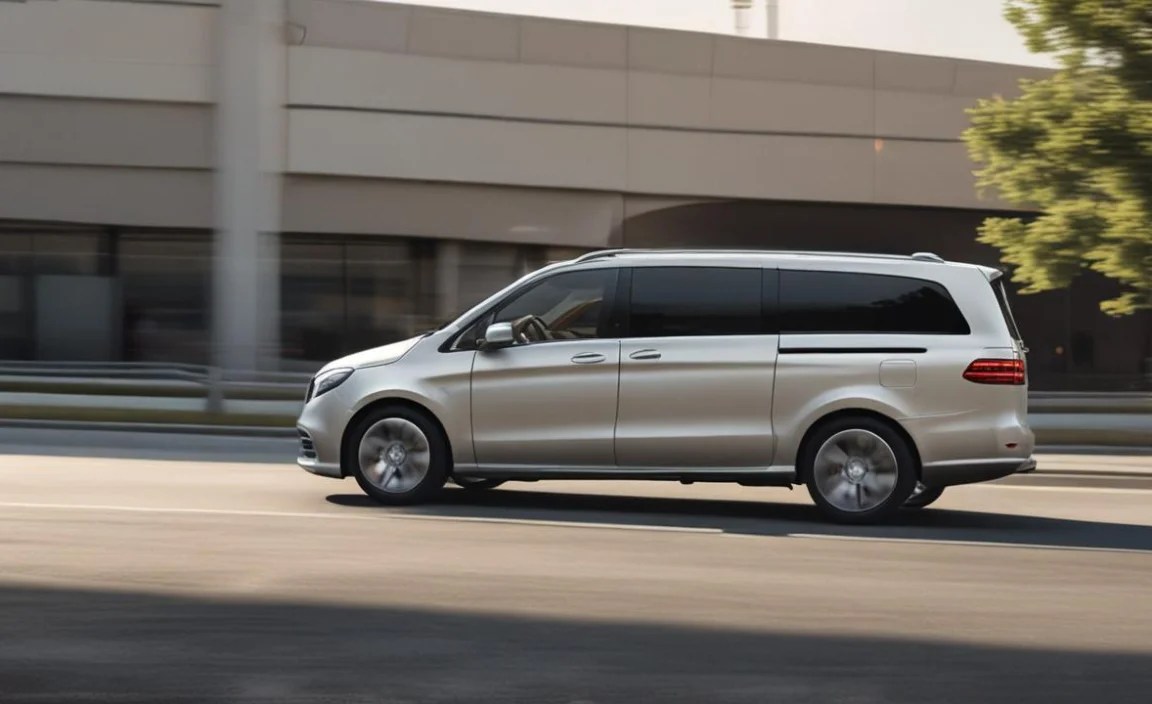
While ACC is a sophisticated system, like any technology, it can occasionally present minor issues. Most are easily resolved.
Sensor Blockage
The most common reason for ACC to temporarily deactivate is a blocked sensor. This can happen due to:
- Dirt, Mud, or Snow: Accumulated debris on the front grille or bumper where sensors are located.
- Ice Accumulation: Especially in cold climates.
- Heavy Rain or Fog: Can sometimes interfere with radar signals.
Solution: If the display shows a sensor blockage warning, the solution is simple: carefully clean the front of your V-Class, paying attention to the grille area. Once the sensors are clear, the system should automatically reactivate, or you might need to re-engage it.
Intermittent Operation
If ACC seems to operate erratically or disengages without apparent reason, consider the following:
- Environmental Factors: Extreme sun glare, dense fog, or heavy precipitation can sometimes confuse sensors.
- Complex Traffic Scenarios: Rapidly changing lanes, vehicles cutting in sharply, or multiple motorcycles in close proximity can challenge the system.
- Road Markings: Faded or confusing lane markings can sometimes affect camera-based systems.
Solution: If the issue persists under normal conditions, it might be worth having a Mercedes-Benz specialist check the system’s calibration and sensors. Ensure your vehicle’s software is up-to-date, as updates often include improvements to driver assistance systems.
ACC Not Engaging
If you press the set button and ACC doesn’t engage, check:
- Speed: You must be above the system’s minimum activation speed (refer to your manual).
- System Readiness: Ensure no warning lights or messages are indicating a fault or system unavailability.
- Brake Pedal: Sometimes, if the brake pedal has been pressed very recently, the system might require a moment to reset.
Solution: Ensure you are meeting all engagement criteria. If a warning light is on, consult your owner’s manual or seek professional diagnosis.
Where to Find More Help
For persistent or complex issues, always refer to your V-Class owner’s manual. It provides specific information tailored to your vehicle. For diagnostics and repairs, it’s best to seek assistance from an authorized Mercedes-Benz service center or a reputable independent Mercedes-Benz specialist. They have the necessary diagnostic tools and expertise to properly calibrate and repair the advanced systems in your V-Class. For general maintenance and system checks, you can also look at resources like Mercedes-Benz USA Service for official information and service schedules.
| Common Issue | Potential Cause | Solution |
|---|---|---|
| ACC Unavailable / Warning Light | Sensor blockage (dirt, snow, ice), system fault, driving outside operational limits. | Clean sensors, check manual for specific error codes, drive manually, seek professional diagnosis if persistent. |
| Inconsistent Following Distance / Braking | Incorrect distance setting, poor weather, complex traffic, system calibration issue. | Adjust distance setting, disengage in adverse conditions, avoid complex scenarios, professional recalibration if needed. |
| System Not Engaging | Speed too low, system not ready, recent brake pedal application. | Ensure minimum speed is met, check for system readiness messages, wait a moment. |
FAQ: Your Mercedes V-Class ACC Questions Answered
Can I use Mercedes V-Class ACC in the rain?
Yes, your V-Class ACC can often be used in light to moderate rain. However, it’s crucial to increase the following distance to account for longer braking distances. In heavy rain, fog, or snow, where sensor visibility is significantly impaired, it is safer to disengage ACC and drive manually.
Does ACC make my V-Class stop completely?
Yes, if your V-Class is equipped with the “stop-and-go” function (often part of DISTRONIC PLUS), Adaptive Cruise Control can bring your vehicle to a complete stop and then automatically resume driving when the vehicle ahead moves. Check your specific V-Class model’s features to confirm this capability.
How do I adjust the following distance on my V-Class ACC?
You can typically adjust


