
MPVs With Built-in GPS Navigation: The Ultimate Driving Experience
Quick Summary
MPVs with built-in GPS navigation transform your family journeys. These systems offer seamless routing, real-time traffic updates, and easy destination searching, making every trip smoother and more enjoyable. Discover how integrated navigation elevates your driving experience, ensuring you reach your destination stress-free, every time.
Navigating with your family can sometimes feel like a quest, especially in unfamiliar territory. Juggling paper maps or relying solely on your smartphone can interrupt the driving flow and diminish the joy of the journey. The good news is, modern MPVs (Multi-Purpose Vehicles) are increasingly equipped with sophisticated built-in GPS navigation systems designed to simplify your travels. These integrated solutions bring convenience right to your fingertips, promising a more relaxed and enjoyable driving experience for everyone.
Imagine embarking on a road trip or even a quick school run without the worry of getting lost or the hassle of constantly checking a separate device. Built-in GPS navigation in MPVs is engineered to provide exactly that: peace of mind and an elevated journey. In this guide, we’ll explore what makes these systems so beneficial and how they contribute to the ultimate driving experience in your MPV before diving into some of the best options available.
The Appeal of Built-in GPS Navigation in MPVs

MPVs are all about accommodating families and their needs, and when it comes to travel, a reliable navigation system is paramount. Built-in GPS offers a level of integration and convenience that portable devices often can’t match. It’s not just about finding your way; it’s about enhancing the entire travel experience.
Seamless Integration and User Experience
One of the primary advantages of built-in GPS is its seamless integration into the vehicle’s dashboard and infotainment system. This means:
- Centralized Display: Navigation maps are displayed on a large, clear screen, often shared with other infotainment functions. This reduces the need for a separate phone mount and keeps your windshield unobstructed.
- Intuitive Controls: Systems are typically designed to be operated via touchscreen, steering wheel controls, or voice commands, allowing the driver to focus more on the road.
- Consistent Performance: Unlike phone apps that can be affected by signal loss or battery drain, the car’s system is designed for reliable performance throughout your journey.
Enhanced Safety Features
Safety is a top priority for any family vehicle, and navigation systems contribute to this in several ways:
- Reduced Distraction: By providing clear, often visual and auditory, directions directly within the car’s interface, the need for the driver to glance at a separate device is minimized.
- Speed Limit Information: Many navigation systems can display current speed limits, helping drivers stay aware and adhere to regulations.
- Points of Interest (POIs): Easily locate nearby amenities like gas stations, restaurants, rest stops, and hospitals, which can be crucial for family comfort and safety.
- Emergency Services: Quick access to emergency contact information or routing to the nearest medical facilities can be invaluable in unforeseen circumstances.
Real-Time Traffic and Route Optimization
Modern GPS navigation is far more than just a map. It actively works to make your journey as efficient as possible:
- Live Traffic Data: Systems often connect to real-time traffic information services, alerting you to congestion, accidents, or road closures.
- Dynamic Rerouting: Based on traffic conditions, the system can suggest alternative routes to save you time and avoid frustration.
- Estimated Time of Arrival (ETA): Accurate ETAs help in planning your stops and informing others of your arrival time, which is particularly useful when traveling with children.
Connectivity and Smart Features
The navigation systems in today’s MPVs often come with advanced connectivity options:
- Smartphone Integration: Many systems support Apple CarPlay and Android Auto, allowing you to seamlessly use compatible navigation apps from your phone (like Google Maps or Waze) through the car’s screen.
- Over-the-Air (OTA) Updates: Some advanced systems can receive map and software updates wirelessly, ensuring you always have the most current information.
- Voice Recognition: Advanced voice command systems allow for hands-free operation, enabling you to ask for directions, search for destinations, or control other infotainment features without taking your hands off the wheel.
Key Features to Look For in an MPV’s GPS Navigation System

When evaluating MPVs with built-in GPS, consider these essential features that contribute to a superior driving and navigation experience:
1. Display Quality and Size
A high-resolution, brightly lit display is crucial for readability, especially in varying light conditions. The size of the screen also plays a role in how easily you can view maps and information at a glance.
2. User Interface (UI) and Ease of Use
The system should be intuitive and easy to navigate, even for first-time users. Look for responsive touchscreens, logical menu structures, and straightforward input methods.
3. Navigation Accuracy and Map Data
Reliable and up-to-date map data is fundamental. Check if the system offers regular map updates, either through USB, Wi-Fi, or cellular connection. Sources like The National Map provide foundational geographic data that navigation systems utilize.
4. Voice Command Functionality
Hands-free voice control significantly enhances safety and convenience. Test the system’s ability to understand various accents and commands accurately if possible.
5. Real-Time Traffic Services
The availability and effectiveness of real-time traffic information can make a significant difference in your journey planning and overall travel time.
6. Smartphone Integration (Apple CarPlay & Android Auto)
This feature is almost a must-have. It bridges your familiar smartphone navigation apps with your car’s integrated display and controls.
7. Points of Interest (POI) Database
A comprehensive POI database makes it easy to find services, attractions, and amenities on the go.
8. Route Planning and Customization Options
The ability to plan multi-stop routes, avoid highways, or specify preferences like scenic routes adds flexibility to your travel planning.
Popular MPVs with Excellent Built-in GPS Navigation

Several MPVs stand out for their advanced infotainment systems and integrated GPS navigation. While specific models and features change annually, these examples highlight manufacturers known for their robust navigation offerings:
Mercedes-Benz Vehicles
As Mercedes-Benz enthusiasts, we know the brand is synonymous with luxury and cutting-edge technology. Their MBUX (Mercedes-Benz User Experience) infotainment system, featuring NTG 7.0 and beyond, is a prime example. It offers:
- Intuitive Touchscreen and Voice Control: The MBUX system is renowned for its intelligent voice assistant (“Hey Mercedes”) and seamless touch inputs.
- Augmented Reality Navigation: In higher trims, MBUX can project live street views with superimposed navigation arrows and information, making complex intersections incredibly easy to navigate.
- Lively Traffic Information: Provides real-time data to optimize routes.
- Extensive POI Database: Easy to find anything you need on your journey.
For MPV equivalents or vehicles offering similar family-friendly space and technology, consider models like the Mercedes-Benz GLB (which offers SUV-like versatility with MPV practicality) or, historically, models that have provided ample family space. Many European markets also feature distinct MPV models from Mercedes-Benz where integrated navigation is a standard or highly sought-after option.
Other Notable Brands
While Mercedes-Benz leads in integrated luxury tech, other brands also offer compelling navigation experiences in their MPVs:
| Manufacturer | Typical MPV Models | Navigation System Highlights |
|---|---|---|
| Toyota | Sienna | User-friendly interface, available JBL premium audio integration, reliable real-time traffic. Often supports Apple CarPlay and Android Auto. |
| Honda | Odyssey | Honda Satellite-Linked Navigation System is known for accuracy. Features voice recognition and clear map displays. Compatibility with smartphone apps is common. |
| Chrysler | Pacifica | Uconnect system offers excellent navigation with intuitive operation. Features a large touchscreen, Wi-Fi hotspot capabilities, and robust POI search. |
| Kia | Carnival | UVO system provides comprehensive navigation. Known for its advanced features, clear graphics, and smooth integration with other vehicle functions. |
| Volkswagen | Atlas (though an SUV, offers similar space) / ID. Buzz (Electric MPV) | Discover Pro/Media systems often feature sharp displays, gesture control (in some models), and precise navigation. Supports smartphone integration. |
When researching specific models, always check the trim levels, as advanced navigation features are often bundled in higher-end packages or optional extras. You can often find detailed specifications on manufacturer websites or in brochures.
Maximizing Your Built-in GPS Navigation Experience
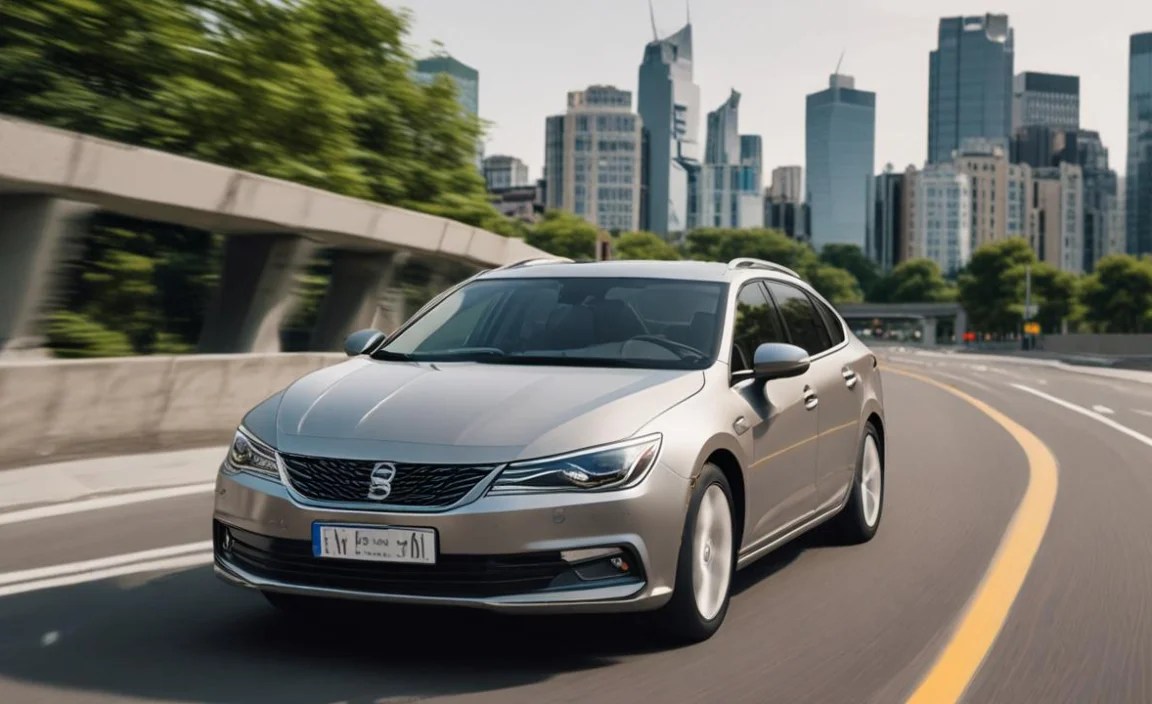
Once you have an MPV equipped with a built-in GPS system, there are several ways to ensure you’re getting the most out of it:
1. Complete Initial Setup and Updates
Before your first long trip:
- Perform System Updates: Check for any available software or map updates. This might involve connecting to Wi-Fi at home, using a USB drive, or having the dealer perform the update. Keeping your maps current is crucial for accuracy.
- Pair Your Smartphone: If you plan to use Apple CarPlay or Android Auto, pair your phone via USB or Bluetooth as per the vehicle’s instructions.
- Customize Settings: Adjust voice volume, preferred alert types, and route preferences (e.g., avoid tolls, highways).
2. Master Voice Commands
Spend time learning the specific voice commands for your system. Most modern systems allow you to input addresses, search for POIs, or even control climate functions using your voice. Practicing this in a parked vehicle is the safest way to learn.
3. Utilize Real-Time Traffic Features
Make a habit of checking the navigation system for traffic conditions before and during your journey. If the system offers automatic rerouting, pay attention to its suggestions, as they are often beneficial. Services like Google Maps use data from millions of users to provide these insights, and integrated systems often leverage similar networks. For more information on traffic data, the Federal Highway Administration offers resources on traffic operations and real-time information.
4. Explore Points of Interest (POI)
Don’t just use GPS for navigation to a specific address. Explore the POI database to discover nearby restaurants, charging stations (for EVs), restrooms, or even local attractions you might not have known about. This can turn a routine drive into an adventure.
5. Plan Multi-Stop Journeys
If you have multiple errands or destinations for a day, use the system’s multi-stop planning feature. This can help optimize your route, saving time and fuel by arranging your stops in the most efficient order.
6. Understand Navigation Limitations
While incredibly advanced, no system is perfect. GPS signals can be weak in tunnels, dense urban canyons, or remote areas. Be aware of your surroundings and follow road signs if the navigation temporarily falters.
The Future of Navigation in MPVs

The evolution of navigation technology is relentless. We’re seeing trends like:
- AI-Powered Navigation: Systems that learn your driving habits and proactively suggest routes or destinations based on your schedule and preferences.
- Enhanced Augmented Reality (AR): More sophisticated AR overlays that can identify buildings, provide historical information about landmarks, and offer even more intuitive visual cues.
- Integration with Smart City Infrastructure: Future systems may communicate directly with traffic lights, parking availability sensors, and other city infrastructure for unparalleled efficiency.
- Sustainable Routing: Navigation that prioritizes routes with lower emissions or optimises charging stops for electric vehicles based on grid availability and cost.
These advancements promise to make driving in MPVs even more effortless and enjoyable, further solidifying GPS navigation as an indispensable feature.
Frequently Asked Questions (FAQ)
What is an MPV?
An MPV, or Multi-Purpose Vehicle, is a car designed to maximize interior space for passengers and cargo. They typically offer flexible seating arrangements, easy access (often with sliding doors), and a comfortable ride, making them ideal for families.
How does built-in GPS navigation differ from using a smartphone app?
Built-in GPS is integrated directly into the car’s infotainment system, offering a larger, clearer display, better voice command integration, and consistent performance without draining your phone’s battery or relying solely on cellular signal. Smartphone apps, while familiar, often require a separate mount and can be a distraction.
Are map updates for built-in GPS free?
This varies by manufacturer. Some offer free lifetime map updates, while others require a subscription or a one-time purchase after an initial period. It’s essential to check with the vehicle manufacturer or dealer for the specific policy.
Can I use my preferred navigation app (like Waze or Google Maps) with a built-in system?
Yes, most modern MPVs with built-in navigation support Apple CarPlay and Android Auto. This allows you to use your smartphone’s navigation apps on the car’s larger display, combining the best of both worlds.
What is Augmented Reality (AR) navigation?
AR navigation uses the car’s cameras to show a live video feed of the road ahead. Navigation prompts, such as arrows indicating turns or lane guidance, are then superimposed onto this live video, offering a more intuitive visual aid.
How do I update the software on my car’s navigation system?
Updates can often be done via Wi-Fi, a USB drive, or by visiting a dealership. Some advanced systems may offer over-the-air (OTA) updates automatically. Consult your car’s owner’s manual or manufacturer’s website for specific instructions.
Is built-in GPS navigation worth the extra cost?
For many, yes. The convenience, safety features, seamless integration, and enhanced driving experience offered by a well-designed built-in GPS system often justify the cost, especially for families who frequently travel or navigate in new areas.
Conclusion
Choosing an MPV with built-in GPS navigation is a choice for a more relaxed, safer, and ultimately more enjoyable driving experience. These sophisticated systems transform the way you interact with your vehicle and the road, turning the mundane task of getting from point A to point B into a seamless part of your journey. From clear, integrated displays and intuitive controls to advanced features like real-time traffic and augmented reality, the technology is designed to reduce stress and enhance family travel.
By understanding the key features to look for and how to best utilize your system, you can unlock the full potential of your MPV’s navigation capabilities. Whether you’re embarking on a cross-country adventure or simply navigating daily errands, a reliable built-in GPS system ensures you’ll arrive at your destination with confidence and ease. Embrace the technology, and let your MPV guide you to a better driving experience.


