
Mercedes Sedan Voice Assistant: Effortless Control Guide
Is your Mercedes voice assistant not quite understanding you? Or maybe you’re new to the system and want to learn the ropes? Don’t worry, you’re not alone! Many Mercedes owners find the voice assistant a bit tricky at first. This guide will walk you through everything you need to know, step by step, so you can master voice commands in your Mercedes sedan.
Frequently Asked Questions (FAQs)
- How do I activate the Mercedes voice assistant?
- Simply say “Hey Mercedes” or press the voice command button on your steering wheel.
- What can I control with the voice assistant?
- You can control navigation, climate, media, phone calls, and vehicle functions like seat adjustments.
- Can I change the “Hey Mercedes” wake-up phrase?
- No, the wake-up phrase is fixed, but you can adjust the system’s sensitivity.
- What if the voice assistant doesn’t understand me?
- Speak clearly and concisely. Reduce background noise and try rephrasing your command.
- Is the voice assistant connected to the internet?
- Yes, for certain functions like online search and weather updates, it requires an internet connection.
- How do I update the voice assistant software?
- Software updates are usually performed over-the-air (OTA) or during your regular service visits.
- Can I use the voice assistant in multiple languages?
- Yes, you can select your preferred language in the system settings.
Understanding the Mercedes-Benz User Experience (MBUX)

The Mercedes sedan voice assistant is a key part of the Mercedes-Benz User Experience, or MBUX. It’s designed to make driving easier and more enjoyable by allowing you to control various car functions with your voice. MBUX is constantly learning and adapting to your preferences, making it more intuitive over time.
Think of MBUX as your digital co-pilot. It’s there to help you stay connected, informed, and entertained while keeping your hands on the wheel and your eyes on the road.
Activating the Voice Assistant

There are two primary ways to activate your Mercedes sedan voice assistant:
- Voice Command: Simply say, “Hey Mercedes.” The system will respond with a chime and a visual prompt, indicating that it’s ready to receive your command.
- Steering Wheel Button: Press the voice command button located on your steering wheel. This will also activate the system and prompt you to speak.
Basic Voice Commands
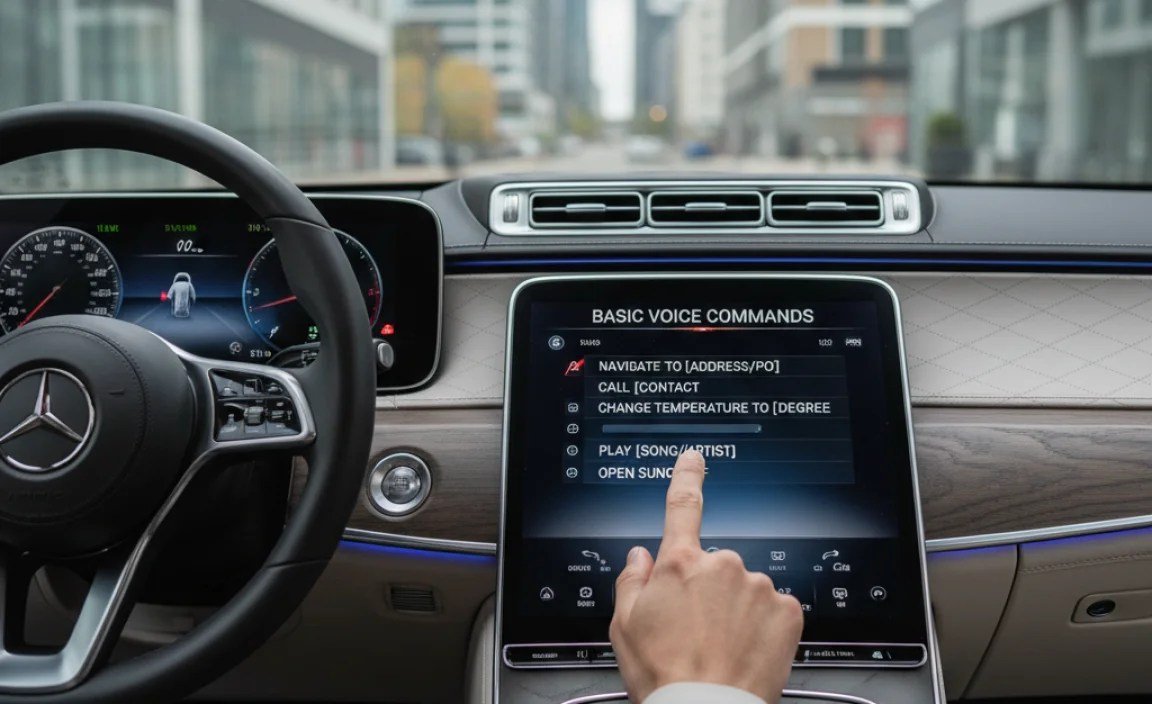
Here are some common voice commands you can use with your Mercedes sedan voice assistant:
- Navigation: “Navigate to [address]” or “Take me to [point of interest].”
- Climate Control: “Set the temperature to [desired temperature]” or “Turn on the air conditioning.”
- Media: “Play [song title]” or “Tune to [radio station].”
- Phone: “Call [contact name]” or “Dial [phone number].”
- Vehicle Functions: “Turn on the seat heaters” or “Open the sunroof.”
Advanced Voice Commands

Beyond the basics, the Mercedes voice assistant can handle more complex commands. Here are a few examples:
- “I’m cold”: The system will automatically increase the temperature.
- “Find the nearest gas station”: The navigation system will locate nearby gas stations and offer directions.
- “Read my text messages”: The system will read your incoming text messages aloud.
- “What’s the weather like?”: The system will provide a weather update for your current location.
Tips for Effective Voice Commands

To ensure the voice assistant understands you correctly, follow these tips:
- Speak Clearly: Enunciate your words and avoid mumbling.
- Reduce Background Noise: Minimize distractions like loud music or conversations.
- Use Natural Language: Speak as you would in a normal conversation.
- Be Specific: Provide precise instructions to avoid ambiguity.
- Pause Briefly: Allow a short pause after saying “Hey Mercedes” before giving your command.
Troubleshooting Common Issues
Sometimes, the voice assistant may not work as expected. Here are some common issues and how to troubleshoot them:
- System Doesn’t Respond:
- Make sure the system is activated in the settings menu.
- Check the microphone for any obstructions.
- Try restarting the MBUX system.
- Incorrect Recognition:
- Speak more clearly and slowly.
- Try rephrasing your command.
- Update the voice recognition software.
- Connectivity Problems:
- Ensure your car has a stable internet connection.
- Check your Mercedes me connect subscription status.
Customizing Voice Assistant Settings
You can customize various voice assistant settings to suit your preferences. Here’s how:
- Access the Settings Menu: Navigate to the settings menu on your MBUX display screen.
- Voice Control Options: Look for the “Voice Control” or “Voice Assistant” section.
- Adjust Sensitivity: Adjust the sensitivity of the wake-up phrase to prevent accidental activations.
- Language Settings: Choose your preferred language for voice commands.
- Privacy Settings: Configure data sharing and privacy options.
Updating the Voice Assistant Software
Keeping your voice assistant software up to date is crucial for optimal performance. Here’s how updates are typically handled:
- Over-the-Air (OTA) Updates: Many updates are automatically downloaded and installed over the air when your car is connected to Wi-Fi.
- Manual Updates: Some updates may require a visit to your Mercedes-Benz dealership.
- Mercedes me Connect App: Check the Mercedes me connect app for update notifications and instructions.
Mercedes Me Connect Integration
The Mercedes me connect app enhances the functionality of your voice assistant. Here’s how:
- Remote Access: Use voice commands to remotely lock/unlock your doors, start the engine, or check vehicle status.
- Send2Car: Send destinations from your smartphone to your car’s navigation system using voice commands.
- Emergency Services: In case of an accident, the voice assistant can automatically contact emergency services.
Voice Assistant and Navigation
The voice assistant makes navigation a breeze. Here are some examples of how to use it:
- Destination Input: “Navigate to 123 Main Street” or “Take me to the nearest coffee shop.”
- Route Options: “Show me alternative routes” or “Avoid toll roads.”
- Points of Interest: “Find a gas station along my route” or “Locate nearby restaurants.
Voice Assistant and Entertainment
Enjoy seamless entertainment control with voice commands:
- Music Playback: “Play my favorite playlist” or “Skip to the next song.”
- Radio Tuning: “Tune to FM 102.7” or “Play BBC Radio 1.”
- Media Source Selection: “Switch to Bluetooth audio” or “Play from USB.”
Voice Assistant and Climate Control
Adjust your car’s climate settings effortlessly with voice commands:
- Temperature Adjustment: “Set the temperature to 72 degrees” or “Make it warmer.”
- Fan Speed Control: “Increase the fan speed” or “Turn on the defroster.”
- Zone Control: “Set the driver’s side temperature to 70 degrees.”
Voice Assistant and Phone Calls
Make and receive calls hands-free using voice commands:
- Making Calls: “Call John Smith” or “Dial 555-123-4567.”
- Answering Calls: “Answer the call” or “Reject the call.”
- Recent Calls: “Redial the last number.”
Voice Assistant and Vehicle Functions
Control various vehicle functions with voice commands:
- Seat Adjustments: “Adjust my seat forward” or “Turn on the massage function.
- Lighting Control: “Turn on the ambient lighting” or “Dim the headlights.
- Sunroof/Windows: “Open the sunroof” or “Close the windows.”
Mercedes Voice Assistant: A Detailed Example
Let’s walk through a detailed example of using the voice assistant for navigation. Imagine you’re driving in your Mercedes sedan and want to find the nearest Italian restaurant.
- Activate the Voice Assistant: Say “Hey Mercedes.”
- Give the Command: Clearly state, “Find the nearest Italian restaurant.”
- Review the Options: The MBUX system will display a list of nearby Italian restaurants on the screen.
- Select Your Destination: You can either touch the screen to select a restaurant or use a voice command like “Navigate to the first option.”
- Follow the Directions: The navigation system will provide turn-by-turn directions to your chosen restaurant.
Common Mistakes to Avoid
To get the most out of your Mercedes voice assistant, avoid these common mistakes:
- Speaking Too Quickly: The system needs time to process your commands.
- Mumbling or Slurring: Enunciate your words clearly.
- Using Ambiguous Language: Be specific with your instructions.
- Ignoring System Prompts: Pay attention to the visual and auditory feedback from the system.
- Not Keeping the System Updated: Ensure your software is up to date for optimal performance.
Mercedes Voice Assistant vs. Other Systems
How does the Mercedes voice assistant stack up against other systems on the market?
While systems like Apple CarPlay and Android Auto offer voice control through Siri and Google Assistant, the Mercedes voice assistant is deeply integrated into the vehicle’s systems. This allows for more seamless control over vehicle functions like climate control, seat adjustments, and ambient lighting. The natural language understanding and contextual awareness of the Mercedes system are also generally considered to be more advanced.
Mercedes Voice Assistant: Data Privacy
It’s important to consider data privacy when using any voice assistant. Here are some key points regarding the Mercedes voice assistant:
- Data Collection: The system collects voice data to improve its recognition accuracy and personalize your experience.
- Data Encryption: Your voice data is encrypted to protect your privacy.
- Data Sharing: You can control the level of data sharing in the settings menu.
- Privacy Policy: Review the Mercedes-Benz privacy policy for detailed information on data collection and usage.
Mercedes Voice Assistant: The Future
The Mercedes voice assistant is constantly evolving with new features and improvements on the horizon. Future updates may include:
- Enhanced Natural Language Understanding: Even more intuitive and conversational interactions.
- Predictive Capabilities: The system will anticipate your needs based on your driving habits and preferences.
- Integration with Smart Home Devices: Control your smart home devices from your car using voice commands.
Mercedes Sedan Voice Assistant: Complete Command List
Here’s a comprehensive list of voice commands you can use with your Mercedes sedan voice assistant. Note that availability may vary depending on your model and software version.
| Category | Command | Description |
|---|---|---|
| Navigation | “Navigate to [address]” | Sets the navigation destination to the specified address. |
| Navigation | “Take me to [point of interest]” | Navigates to the nearest point of interest (e.g., “Take me to the nearest gas station”). |
| Navigation | “Show me alternative routes” | Displays alternative routes to the current destination. |
| Climate Control | “Set the temperature to [temperature] degrees” | Adjusts the cabin temperature to the specified degree. |
| Climate Control | “Make it warmer/cooler” | Increases or decreases the cabin temperature by a few degrees. |
| Climate Control | “Turn on/off the air conditioning” | Activates or deactivates the air conditioning system. |
| Media | “Play [song title]” | Plays the specified song from your connected media source. |
| Media | “Tune to [radio station]” | Tunes the radio to the specified station. |
| Media | “Next song/Previous song” | Skips to the next or previous track. |
| Phone | “Call [contact name]” | Dials the phone number associated with the specified contact. |
| Phone | “Dial [phone number]” | Dials the specified phone number. |
| Phone | “Answer call/Reject call” | Answers or rejects an incoming phone call. |
| Vehicle Functions | “Turn on/off seat heaters” | Activates or deactivates the seat heaters. |
| Vehicle Functions | “Open/Close sunroof” | Opens or closes the sunroof. |
| Vehicle Functions | “Adjust seat forward/backward” | Moves the driver’s seat forward or backward. |
| Information | “What’s the weather like?” | Provides a weather update for your current location. |
| Information | “What’s the time?” | Announces the current time. |
| System Commands | “Help” | Provides a list of available voice commands. |
| System Commands | “Cancel” | Cancels the current voice command. |
Mercedes Voice Assistant: Tips and Tricks
Here are some additional tips and tricks to enhance your voice assistant experience:
- Use Nicknames: Assign nicknames to your contacts for easier voice dialing (e.g., “Call Mom”).
- Create Shortcuts: Create custom voice commands for frequently used functions.
- Explore System Settings: Familiarize yourself with the various voice assistant settings to customize the system to your preferences.
- Keep Learning: The voice assistant is constantly evolving, so stay updated with new features and commands.
Conclusion
Mastering the Mercedes sedan voice assistant can significantly enhance your driving experience. By following the steps and tips outlined in this guide, you can unlock the full potential of this powerful technology and enjoy a more convenient, connected, and enjoyable ride. So, go ahead and start exploring the world of voice commands in your Mercedes – you might be surprised at what it can do!
“`


