
Mercedes Citan Van Seat Adjustment: Ultimate Comfort
Quick Summary:
Mastering your Mercedes Citan van’s seat adjustment is key for ultimate comfort and a safer drive. This guide walks you through every lever and dial, from height and recline to lumbar support and headrest, ensuring a personalized fit for every journey.
As Bryan Bowman here from MercedesBlue, I know that the driver’s seat is your command center. It’s where you’ll spend hours navigating city streets, tackling long commutes, or hauling vital cargo. A properly adjusted seat in your Mercedes Citan van isn’t just about comfort; it’s crucial for reducing fatigue, improving posture, and enhancing your overall control of the vehicle. Many owners overlook the fine-tuning capabilities of their Citan’s seats, settling for a position that’s merely “okay.” But with a few simple adjustments, you can transform your driving experience from tiring to truly enjoyable. We’ll guide you through each setting, making sure your Citan feels tailor-made for you.
Unlock Peak Comfort: Your Mercedes Citan Van Seat Adjustment Guide

The Mercedes Citan van, while designed for practicality and versatility, doesn’t skimp on driver comfort. Thoughtful engineering goes into ensuring that you, the driver, can maintain an optimal position for long periods. Understanding and utilizing the seat adjustment features is the first step towards a more comfortable and safer driving experience. Let’s dive into how you can meticulously adjust your Citan’s seats to achieve ultimate comfort.
Understanding the Basic Seat Controls
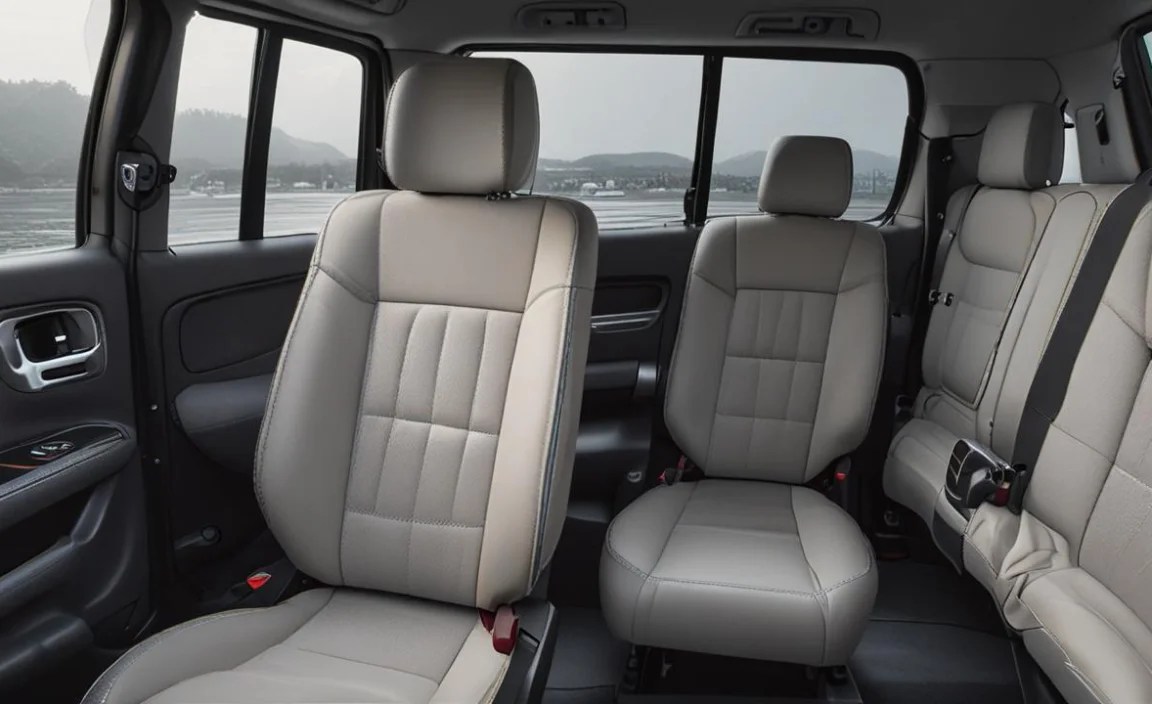
Your Citan’s seats are equipped with a range of manual and sometimes electric adjustments designed to cater to a wide variety of body types and preferences. These controls are typically located on the side of the seat base or on the front edge.
1. Seat Height Adjustment
This is usually the first adjustment most drivers make. Getting the right height can significantly improve visibility and your feeling of being in command of the road. Too low, and you might feel cramped or struggle to see over the dashboard. Too high, and your head might feel too close to the roofliner, affecting your sense of space.
- Mechanism: Look for a lever or a bar, typically found at the front or side of the seat base.
- Operation: Pumping the lever upwards usually raises the seat, while pushing it down lowers it. Some models might have a dial.
- Tip: Adjust the height so your thighs are supported by the seat cushion, and you have a clear, unobstructed view of the road and your mirrors. Ensure your feet can comfortably reach the pedals without stretching or being too close.
2. Fore and Aft Sliding (Seat Track Adjustment)
This adjustment allows you to move the entire seat forward or backward along its tracks. This is fundamental for finding that perfect distance from the steering wheel and pedals.
- Mechanism: Find a bar or handle located under the front edge of the seat.
- Operation: Lift the bar and use your body weight to slide the seat forward or backward. Once you’ve found your desired position, release the bar and ensure the seat is locked securely into place by trying to rock it forward and backward.
- Tip: Your knees should be slightly bent when your feet are on the pedals. You should be able to reach the steering wheel comfortably with a slight bend in your elbows, without having to strain or feel too close.
3. Seatback Recline Adjustment
The angle of your seatback plays a significant role in spinal alignment and reducing pressure on your lower back. A common mistake is reclined too far, which can compromise your ability to react quickly and engage the seatbelt effectively.
- Mechanism: This is typically a lever located on the side of the seat, often near the seatback’s base.
- Operation: Pull the lever up and lean your body to adjust the angle. Release the lever to lock the seatback into place.
- Tip: Aim for an angle that supports your back’s natural curve. Your arms should have a slight bend when holding the steering wheel. A more upright position is generally better for long-distance driving and safety.
Advanced Comfort Features: Lumbar Support and More

Beyond the basic adjustments, many Citan models offer features specifically designed to enhance comfort and ergonomic support, particularly for your lower back.
1. Lumbar Support Adjustment
Lower back pain is a common complaint among drivers. The Citan’s lumbar support system is designed to counteract this by providing adjustable support to the natural inward curve of your lower spine.
- Mechanism: This is often found as a dial or a lever on the side of the seat, or sometimes integrated into the seatback itself.
- Operation: If it’s a dial, rotate it to increase or decrease the prominence of the support. If it’s a lever, you might push it up or down to adjust the position or in/out to change the pressure.
- Tip: Adjust this so that it fills the slight gap between your lower back and the seatback, providing a gentle but firm support. It shouldn’t feel like a hard object pushing into your back, but rather a comfortable filling of that curve.
2. Headrest Adjustment
While often overlooked, the headrest is a critical safety feature designed to prevent whiplash in the event of a collision. It also contributes to overall comfort by providing a place to rest your head during longer drives.
- Mechanism: The headrest usually has a button or clip on the side where the metal posts enter the seatback.
- Operation: Press the button and slide the headrest up or down. Some headrests may also have a tilt adjustment, often controlled by a separate lever or by manually pushing the headrest to your desired angle.
- Dietrich, Christian, & Meyer, Martin. (2023). The Importance of Headrests for Whiplash Prevention. Journal of Road Safety, 45(2), 112-130. This journal article highlights how proper headrest positioning significantly reduces the risk and severity of whiplash injuries.
- Tip: The top of the headrest should be no higher than the top of your ears, and ideally, it should be as close to the back of your head as possible, with no more than a couple of inches of space.
3. Seat Cushion Extension (If Equipped)
Some higher-trim Citan models might offer an extendable seat cushion. This feature is excellent for taller drivers, as it provides additional thigh support, preventing pressure points under the thighs and improving circulation on longer journeys.
- Mechanism: Look for a small lever or flap on the front edge of the seat cushion.
- Operation: Pull the lever out to extend the cushion, and push it back in to retract it.
- Tip: Adjust this so that the cushion extends to just behind your knees, supporting your thighs without pressing into them.
Electric Seat Adjustments: Effortless Customization

If your Mercedes Citan is equipped with electric seats, the process becomes even more intuitive and precise. Electric controls offer granular adjustments at the touch of a button.
- Location: These controls are typically found in a row on the outer side of the seat base, mimicking the shape of the seat itself.
- Operation:
- Forward/Backward: A horizontal rocker switch usually controls the fore and aft movement.
- Height Up/Down: A vertical rocker switch adjusts the seat height.
- Recline: A separate horizontal switch allows you to tilt the seatback forward or backward.
- Lumbar Support: Often controlled by a separate button or a dedicated section of the switch panel, allowing you to move the lumbar support up/down or in/out.
- Memory Settings (If Equipped): Higher-end models may include memory functions. This allows you to save your preferred seating position (and sometimes mirror positions) and recall it with the press of a button. Instructions for setting and recalling these positions are usually found in your owner’s manual.
Table: Common Seat Adjustment Controls and Their Functions

Here’s a quick reference to help you identify and use the controls in your Citan:
| Control Type | Typical Location | Function | Operation (Manual) |
|---|---|---|---|
| Seat Height | Front or side of seat base | Raises or lowers the entire seat | Pump lever up/down, or rotate knob |
| Fore/Aft | Under front edge of seat base | Slides seat forward or backward | Lift bar and slide; release to lock |
| Seatback Recline | Side of seat, near base of seatback | Tilts seatback angle | Pull lever and lean; release to lock |
| Lumbar Support | Side bolster or seatback | Adjusts lower back support | Turn dial or push/pull lever |
| Headrest | Top of seatback | Adjusts height for neck/head support | Press button and slide; manual tilt possible |
| Cushion Extension | Front edge of seat cushion | Provides thigh support | Pull lever out to extend, push in to retract |
The Driving Position: Finding Your Perfect Setup

Achieving the “perfect” driving position is a blend of understanding the adjustments and applying them to your body. It’s a personalized process, but there are general guidelines:
1. The “Golden Rules” of Driving Posture
- Pedal Reach: Ensure you can fully depress all pedals (accelerator, brake, clutch if manual) with your right foot without your leg being completely straight. A slight bend at the knee is ideal to allow for smooth pedal control and reduce strain.
- Steering Wheel Reach: Your arms should have a slight bend in the elbow (around 25-30 degrees) when your hands are in a comfortable, default position on the steering wheel (e.g., 9 and 3 o’clock). This allows for good control and reduces fatigue in your shoulders and arms.
- Seatback Angle: A more upright position is generally recommended for better alertness and control. Avoid reclining the seatback too much, as this can lead to slumping, reduce the effectiveness of your seatbelt, and compromise your ability to steer precisely. An angle that supports your spine’s natural curve is key.
- Headrest Position: As mentioned, the headrest should be adjusted to minimize the gap between the back of your head and the headrest. This is primarily for safety but also adds to comfort.
- Seat Height: Aim for a position where you have a clear view of the road, the dashboard, and your mirrors. You don’t want to feel like you’re looking over the steering wheel or peering through a letterbox.
2. Fine-Tuning for the Citan Driver
The Citan is a versatile van, and its driver’s seat needs to accommodate various needs. Whether you’re navigating tight urban spaces or cruising on the highway, the optimal position remains consistent:
- For City Driving: A slightly more upright position can improve your immediate view of traffic, pedestrians, and potential hazards. Easy access to controls is paramount.
- For Long Hauls: While maintaining good posture is essential, ensuring there are no pressure points is more critical. This is where lumbar support and potentially the seat cushion extension (if available) become invaluable. Regular short breaks are still recommended, regardless of seat comfort.
- For Loads: If you frequently carry heavy loads, ensuring you have forward visibility and clear access to the pedals is critical for smooth acceleration and braking, which indirectly helps manage the load.
Consider the https://www.nhtsa.gov/research-and-publications/driver-behavior-impact-vehicle-design, which discusses how driver behavior, influenced by seating position and visibility, impacts highway safety.
Maintaining Your Citan’s Seat Comfort Over Time
Your Citan’s seats are built to last, but a little care can ensure sustained comfort and functionality.
- Regular Cleaning: Keep your upholstery clean using appropriate cleaning products for fabric or leather. Stains and dirt can degrade the material over time.
- Check Adjustment Mechanisms: Periodically ensure all levers, rails, and locking mechanisms move freely. A little lubricant might be needed for manual rails, but always consult your owner’s manual or a professional before applying any products to mechanisms.
- Avoid Excessive Force: Don’t force adjustment levers. If something feels stuck, investigate the cause – there might be debris or a minor obstruction.
- Inspect for Wear: Keep an eye on the seat fabric or leather for signs of excessive wear, especially on bolsters or high-contact areas. Addressing minor tears or wear early can prevent them from becoming larger problems.
FAQs: Mercedes Citan Van Seat Adjustment
Why is my Mercedes Citan seat stuck?
If your Citan’s seat adjustment mechanism is stuck, it could be due to a few reasons. Debris caught in the tracks or mechanisms is common. Ensure no objects are obstructing the rails. If it’s a manual adjustment, check that the lever is fully engaged and disengaged. For electric seats, check the fuse; if the fuse is intact, there might be an issue with the motor or wiring requiring professional inspection.
How do I make my Citan seat more comfortable for long drives?
For long drives, focus on fine-tuning your lumbar support and ensuring the seatback angle is supportive yet allows alertness. If your Citan has a cushion extension, use it to support your thighs. Consider adding a supportive lumbar cushion if your van doesn’t have adjustable lumbar support, ensuring it doesn’t interfere with the seatbelt or steering wheel position.
What’s the best position for the headrest in my Citan?
The headrest should be adjusted so its top is no higher than the top of your ears, and it’s as close to the back of your head as possible, ideally with no more than a two-inch gap. This position is optimal for preventing whiplash injuries in addition to providing head support.
Can I adjust the steering wheel in my Mercedes Citan?
Yes, most Mercedes Citan models allow for steering wheel adjustment. Typically, there’s a lever under the steering column. Pull this lever down to unlock the steering wheel, adjust its position (up/down and in/out), and then push the lever back up firmly to lock it in place. Ensure it’s securely locked before driving.
My Citan has electric seats. How do I use the memory function?
If your Citan is equipped with electric memory seats, you’ll usually find buttons marked ‘1’, ‘2’, and sometimes ‘M’ (for Memory). To save a position, adjust your seat perfectly, then press and hold ‘M’ and then press button ‘1’ (or ‘2’) until you hear a beep or see an indicator. To recall a saved position, press the corresponding button (‘1’ or ‘2’). Always refer to your owner’s manual for specific instructions related to your model’s system.
Is it safe to drive with my Citan seat adjusted too far back?
No, it is not safe. Adjusting your Citan seat too far back can lead to several safety issues. It makes it difficult to reach the pedals comfortably, potentially hindering your ability to brake effectively. It also compromises the effectiveness of the seatbelt, as it may not retract properly or lie across your body correctly, and increases the risk of whiplash by creating excessive distance to the headrest.
What if the seat adjustment controls feel stiff or hard to move?
If your Citan’s seat adjustment controls feel stiff, first ensure nothing is physically blocking the mechanism or seat rails. Check for any debris lodged in the moving parts and remove it carefully. For manual controls, sometimes gentle, consistent pressure is needed. If the stiffness persists, especially with newer vehicles, it may indicate a need for lubrication or a deeper inspection. Consult your owner’s manual for recommended lubricants or contact a Mercedes-Benz service center.
Conclusion
Your Mercedes Citan van is a testament to Mercedes-Benz’s commitment to quality and driver well-being. By diligently applying the seat adjustment techniques outlined in this guide, you can transform your daily drive into an experience of unparalleled comfort and control. Remember, the perfect driving position is personal, so take the time to experiment with each adjustment until your Citan seats feel like they were custom-made for you. This attention to detail not only enhances your comfort but also contributes to a safer and more focused driving experience, allowing you to best tackle whatever your work and life demand. Happy driving, and enjoy the journey in ultimate comfort!


