
Mercedes-Benz Biometric Authentication: Ultimate Security
Mercedes-Benz biometric authentication offers state-of-the-art security, using fingerprint recognition to personalize your driving experience and protect your vehicle. It’s an intuitive way to access your profile and settings, making your Mercedes uniquely yours and remarkably secure.
Imagine unlocking your Mercedes-Benz not just with a key, but with your own unique fingerprint. That’s the promise of Mercedes-Benz biometric authentication – a blend of cutting-edge technology and sophisticated design that elevates vehicle security and personalization to an entirely new level. For many, the thought of advanced security features can sound complex, but Mercedes-Benz has made it remarkably simple and wonderfully effective. This system ensures that your car is truly yours, protecting your settings, preferences, and even your financial data with a touch.
In today’s world, security is paramount, both in our homes and in our vehicles. When you invest in a luxury automobile like a Mercedes-Benz, you expect the very best in protection and innovation. Biometric authentication is a prime example of this commitment, offering a seamless and highly secure way to interact with your vehicle. It moves beyond traditional passwords and PINs, embracing the inherent security of your unique biological traits. This guide will demystify Mercedes-Benz biometric authentication, explaining what it is, how it works, and how it provides the ultimate security for your prized possession.
What is Mercedes-Benz Biometric Authentication?

Mercedes-Benz biometric authentication is an advanced security and personalization feature integrated into select Mercedes-Benz models. At its core, it utilizes a fingerprint scanner to identify the driver. Once registered, your unique fingerprint can be used to unlock personalized settings, preferences, and even initiate the ignition in some advanced systems. It acts as a digital key and a personal identifier, ensuring that only authorized drivers can access specific vehicle functions and profiles.
This technology represents a significant leap forward in automotive security. Instead of remembering complex passwords or relying solely on physical keys, drivers can use their fingerprint – a biometric trait that is inherently unique and extremely difficult to replicate. This not only enhances security but also streamlines the user experience, making it quicker and more convenient to get your Mercedes-Benz personalized and ready to drive.
The primary goals of this system are:
- To provide a highly secure method of vehicle access and driver identification.
- To offer a seamless and personalized driving experience for each authorized user.
- To protect sensitive vehicle settings and data from unauthorized access.
How Does Biometric Authentication Work in a Mercedes-Benz?

The magic behind Mercedes-Benz biometric authentication lies in sophisticated fingerprint scanning technology combined with intelligent software. When you first set up the system, you’ll be prompted to register your fingerprint(s). This process involves repeatedly placing your finger on a designated scanner – usually located within the cabin, often near the steering wheel or on the central console.
During registration, the scanner captures a detailed digital map of your fingerprint’s ridges and valleys. This data is then converted into a unique algorithm or template. Crucially, your actual fingerprint image is not stored. Instead, only this digital template is kept securely within the vehicle’s system. When you attempt to authenticate, the scanner captures your current fingerprint, converts it into a similar template, and compares it to the stored templates. If there’s a match, the system recognizes you and unlocks the associated profile or function.
The process typically involves these key steps:
- Enrollment: The driver registers their fingerprint on the scanner. This involves multiple scans from different angles to ensure accuracy.
- Template Creation: The system converts the captured fingerprint data into a secure digital template.
- Verification: When the driver attempts to access a secured function, the scanner captures their fingerprint.
- Comparison: The system generates a new template from the current scan and compares it against the stored templates.
- Authentication: If a match is found, the system grants access to the designated profile or function. If not, access is denied.
Modern biometric systems can typically store multiple fingerprints, allowing different family members or authorized drivers to have their own profiles and personalized settings. This ensures that whether it’s you or your partner driving, the Mercedes-Benz adapts to their preferences.
Benefits of Biometric Authentication

Choosing a Mercedes-Benz equipped with biometric authentication brings a host of advantages that enhance both security and convenience. It’s more than just a high-tech gimmick; it’s a robust system designed to offer tangible benefits to the driver.
Here are some of the key advantages:
- Enhanced Security: Biometrics are incredibly difficult to forge or steal, offering a higher level of security than traditional keys or PINs. Your fingerprint is your key.
- Seamless Personalization: Automatically adapts the car’s settings – such as seat position, mirror angles, climate control, infotainment preferences, and even ambient lighting – to your specific profile.
- Convenience: Eliminates the need to remember PINs or fumbling for keys for certain functions. A simple touch is all it takes.
- Driver Identification: Allows multiple drivers to have their own personalized profiles, ensuring a tailored experience for everyone who drives the car.
- Protection of Data: In some advanced systems, biometric authentication can protect access to sensitive data, payment information for services like in-car purchasing, or even prevent unauthorized use of the vehicle.
- Modern Aesthetic: The integration of such technology often complements the sophisticated and futuristic interior design of Mercedes-Benz vehicles.
Models Featuring Biometric Authentication

Mercedes-Benz is progressively rolling out its biometric authentication technology across its model range, particularly in newer generations and higher trim levels equipped with the latest MBUX (Mercedes-Benz User Experience) infotainment system. While availability can vary by model year and specific market, you’ll most commonly find this feature in:
- S-Class: Often a pioneer of new technologies, the S-Class has featured advanced biometric options.
- C-Class: Newer generations of the C-Class are increasingly equipped with this feature.
- E-Class: Like the C-Class, the E-Class integrates this technology in its latest iterations.
- GLC, GLE, GLS: These popular SUVs also offer biometric authentication in their more recent models.
- EQ Models: Electric vehicles like the EQS and EQE are designed with cutting-edge tech, including biometric access.
Specific trims and optional packages will dictate availability. For the most accurate information on whether a particular Mercedes-Benz model includes biometric authentication, it’s always best to consult the vehicle’s official specifications, window sticker, or contact a Mercedes-Benz dealership. You can also often get a good indication by looking for the fingerprint scanner icon within the vehicle’s interior during a showroom visit.
To verify if your current Mercedes-Benz has this feature or to understand its capabilities, consult your owner’s manual or the vehicle’s infotainment system settings. For those looking to purchase, this is a key feature to inquire about.
Setting Up Your Biometric Authentication: A Step-by-Step Guide

Getting your Mercedes-Benz biometric authentication set up is a straightforward process designed for ease of use. While the exact on-screen prompts might vary slightly depending on the model year and MBUX version, the general steps remain consistent. Here’s a typical walkthrough:
Step 1: Access the Biometric Settings
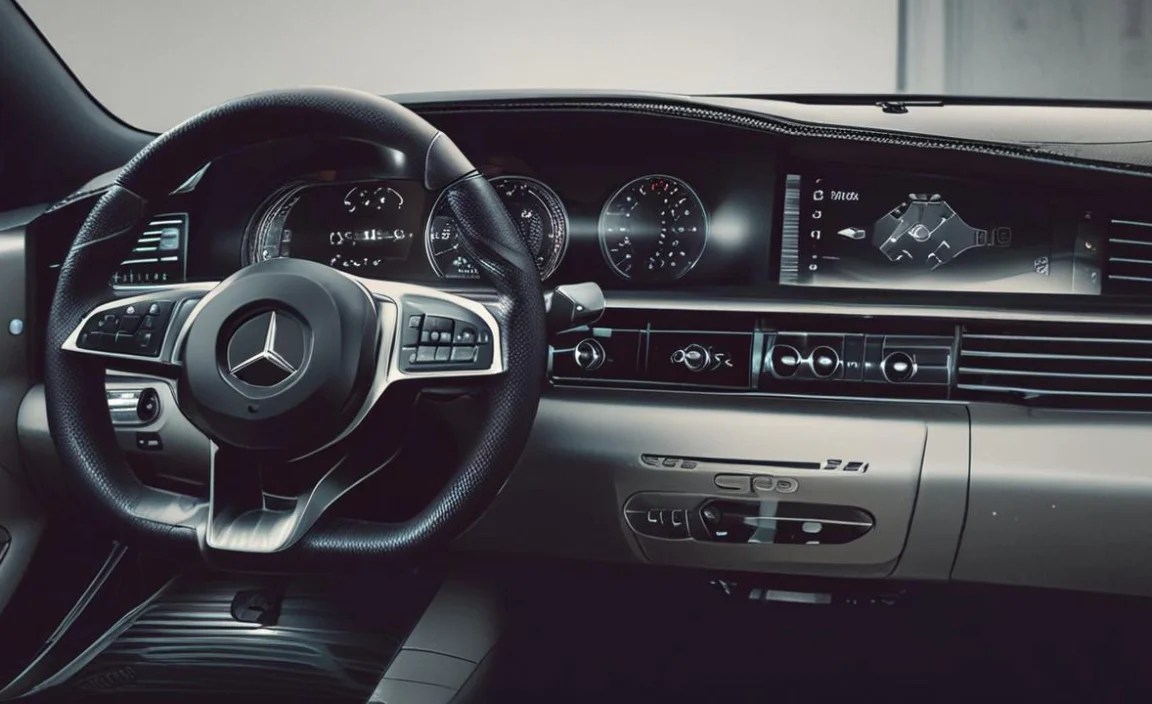
Navigate through your vehicle’s infotainment system. Typically, you’ll find the biometric settings under menus like “Settings,” “Profile,” “Vehicle,” or sometimes directly under “Biometrics” or “Fingerprint Scanner.”
Step 2: Initiate Fingerprint Enrollment

Select the option to “Enroll New Fingerprint” or “Add User.” The system will then guide you to the fingerprint scanner. This is usually a small, touch-sensitive area.
Step 3: Scan Your Fingerprint

You’ll be asked to place your finger on the scanner. The system will likely instruct you to lift and place your finger multiple times, and potentially adjust the angle slightly. This is to capture a comprehensive data set of your fingerprint.
- Follow the on-screen instructions precisely.
- Ensure your finger is clean and dry.
- Scan the print that you will most commonly use (e.g., dominant index finger).
Step 4: Name Your Profile

Once the scan is successfully completed, the system will prompt you to assign a name to this fingerprint profile (e.g., “Bryan – Driver 1”). This helps the system manage multiple users and their settings.
Step 5: Link to Your Mercedes Me Account (If Applicable)

In some Mercedes-Benz systems, your biometric profile can be linked to your Mercedes Me account. This allows for cloud-based storage of your personalized settings, which can be beneficial if you switch between vehicles or if your phone is connected.
Step 6: Configure Personalized Settings

After your fingerprint is enrolled, you can then associate it with specific vehicle settings. This typically happens automatically as you adjust the car to your liking and save it to your profile, or through a dedicated “Personalization” menu within the profile settings.
- Seat Position: Adjust the seat, steering wheel, and mirrors to your preference.
- Climate Control: Set your ideal cabin temperature and fan speed.
- Infotainment: Save your favorite radio stations, navigation destinations, and app preferences.
- Ambient Lighting: Choose your preferred interior lighting color and intensity.
Step 7: Test the System

To ensure it’s working correctly, exit the vehicle, lock it, then approach it (if keyless entry is enabled) or insert the key and attempt to start the car. The system should recognize your fingerprint and automatically load your saved profile. You might see prompts on the dashboard or infotainment screen confirming your profile is active.
For additional security, some systems allow you to set a PIN code as a backup or for accessing highly sensitive functions. You can usually add additional fingerprints for other drivers by repeating the enrollment process.
Biometric Authentication vs. Traditional Security Methods

Comparing biometric authentication to traditional methods like physical keys, key fobs, and PIN codes highlights its advanced nature and superior security. While traditional methods have served us well for decades, biometrics offer a significant evolutionary step.
Here’s a look at how they stack up:
| Feature | Biometric Authentication | Traditional Keys/Fobs | PIN Codes |
|---|---|---|---|
| Security Level | Very High (Unique, hard to replicate) | Moderate (Can be lost, stolen, or copied) | Moderate (Can be forgotten, guessed, or observed) |
| Convenience | Very High (Seamless, touch-based) | High (Physical access method) | Moderate (Requires manual input) |
| Personalization Capability | Excellent (Links directly to user profiles) | Limited (Relies on separate profile selection) | Limited (No direct user profile link) |
| Loss/Theft Risk | Extremely Low (Fingerprint cannot be physically lost) | High (Can be misplaced or pilfered) | Low (No physical item to lose) |
| Forging Difficulty | Extremely High (Requires advanced techniques) | Moderate (Can be duplicated) | Moderate (Can be guessed or cracked with brute force) |
| User Experience | Intuitive, futuristic | Familiar, straightforward | Can be cumbersome, prone to error |
Biometric systems offer a compelling blend of robust security and unparalleled convenience. They are designed to protect your vehicle from unauthorized access and simultaneously tailor the driving experience to individual users, something traditional methods cannot inherently achieve.
Maintaining Your Biometric Security

While biometric systems are designed for durability and security, a few simple practices can help ensure they function optimally and maintain their integrity over time.
- Keep the Scanner Clean: Dust, dirt, or moisture on the scanner can interfere with its ability to read your fingerprint accurately. Gently wipe the scanner with a soft, dry microfiber cloth as needed. Avoid abrasive cleaners or materials.
- Ensure Clean Fingers: For the best results during authentication, make sure your fingers are clean and dry. Residue from lotions, food, or dirt can cause recognition errors.
- Avoid Damaging the Scanner: Treat the fingerprint scanner with care. While built into the vehicle’s interior, it’s still an electronic component. Avoid forcefully pressing on it or exposing it to extreme conditions.
- Update Vehicle Software: Like any advanced technology, the MBUX system and its biometric features receive software updates from Mercedes-Benz. Ensure your vehicle’s software is kept up-to-date to benefit from performance improvements, security patches, and new features. You can usually manage these via your Mercedes Me account or by visiting a dealership. The Mercedes-Benz Over-the-Air (OTA) updates are crucial for keeping your vehicle’s systems optimized.
- Manage User Profiles: If you frequently have different people drive your car, ensure clear profile management. For security reasons, periodically review the list of enrolled fingerprints and remove any that are no longer needed or trusted.
- Secure Your Primary Account: If your biometric profile is linked to your Mercedes Me account, ensure that your Mercedes Me account itself is secured with a strong, unique password and consider enabling two-factor authentication for an extra layer of protection. You can learn more about online security best practices from resources like the Cybersecurity & Infrastructure Security Agency (CISA).
By following these simple maintenance tips, you can ensure your Mercedes-Benz biometric authentication system remains a reliable and secure part of your driving experience for years to come.
Troubleshooting Common Issues

While remarkably reliable, like all technology, you might occasionally encounter minor issues with your Mercedes-Benz biometric authentication system. Here are some common problems and how to address them:
Fingerprint Not Recognized

Cause: Dirty scanner, dirty finger, damp finger, minor skin changes (e.g., from heat or cold), or a poor initial scan.
Solution:
- Clean the scanner with a soft, dry cloth.
- Ensure your finger is clean and dry.
- Try scanning a different enrolled finger.
- Re-enroll your fingerprint if the issue persists for a specific finger. Ensure good lighting and follow the on-screen prompts precisely during re-enrollment.
System Slow or Unresponsive

Cause: Temporary software glitch, heavy system load, or outdated software.
Solution:
- Restart the vehicle. Turn it off completely, exit, lock, wait for a minute, then restart.
- Check for available MBUX software updates through your Mercedes Me account or at the dealership.
- If the issue is persistent, it’s best to contact your Mercedes-Benz service center for diagnosis.
Unable to Enroll New Fingerprint

Cause: Maximum number of fingerprints already stored, scanner issue, or user error during enrollment.
Solution:
- Check how many fingerprints are currently stored. You may need to delete an old profile to make room for a new one.
- Ensure you are following the exact on-screen instructions for enrollment.
- Contact a Mercedes-Benz dealer if the scanner appears to be malfunctioning.
Biometric Access Disabled After an Update

Cause: Occasionally, major software updates might temporarily alter system settings or require reconfirmation.
Solution:
- Navigate back to the biometric settings menu and re-enable the feature or confirm your consent.
- If prompted, re-enroll your fingerprints.
For any issues that cannot be resolved through these simple steps, it’s always recommended to consult your owner’s manual or reach out to an authorized Mercedes-Benz dealer for expert assistance. They have the diagnostic tools and knowledge to address more complex technical problems.
The Future of Biometrics in Luxury Vehicles

Mercedes-Benz is at the forefront of integrating advanced security and personalization technologies, and biometric authentication is just one piece of the puzzle. The automotive industry, and luxury marques like Mercedes-Benz in particular, are increasingly looking towards biometrics to redefine the driver-vehicle relationship. We can expect to see this technology evolve in several exciting ways:
- Facial Recognition: Beyond fingerprints, expect to see advanced facial recognition systems that can identify the driver and passengers, personalizing not just settings but also climate control for specific zones or even offering personalized entertainment suggestions based on who is in the car.


