
Mercedes Actros Navigation Systems: Powerful & Perfect
Quick Summary: Mercedes Actros navigation systems are engineered for power and precision, offering drivers advanced routing, real-time traffic updates, and intuitive controls. These systems are crucial for efficient, safe, and stress-free long-haul journeys, making them a perfect, indispensable tool for every Actros driver.
Navigating the open road can be a complex challenge, especially for the demanding world of commercial transport. The Mercedes Actros, a titan of the trucking industry, is equipped with navigation systems designed to meet these challenges head-on. But what makes them so powerful and, dare we say, perfect? Many drivers wonder how to best utilize these sophisticated tools to optimize their routes, save time, and ensure they reach their destinations smoothly. This guide will demystify the technology, offering clear, actionable insights into how your Actros navigation system can become your most trusted co-pilot. We’ll walk you through its core features, benefits, and simple tips to get the most out of it, transforming your driving experience.
Understanding Your Mercedes Actros Navigation System

The navigation systems in the Mercedes Actros are more than just GPS devices; they are integrated command centers designed to enhance efficiency, safety, and driver comfort. Mercedes-Benz has a long history of innovation in automotive technology, and their approach to commercial vehicle navigation is no exception. These systems are built with the specific needs of long-haul drivers in mind, focusing on reliability, ease of use, and intelligent route planning that considers factors beyond just the shortest distance.
At its heart, the system uses advanced GPS technology to pinpoint your location with remarkable accuracy. However, its true power lies in its ability to process vast amounts of data to provide optimal routes. This includes real-time traffic information, road closures, and even route restrictions that might affect heavy vehicles like the Actros. The interface is designed to be intuitive, minimizing driver distraction and allowing for quick adjustments or queries while on the move.
Key Components and Features
Mercedes-Benz equips its Actros trucks with a suite of features to ensure a comprehensive navigation experience. These features work in conjunction to provide a seamless and efficient journey. Understanding each component helps in appreciating the overall functionality and power of the system.
- High-Resolution Touchscreen Display: The central hub of the navigation system. These displays are typically large and bright, offering clear visibility even in varying light conditions. They are designed for touch operation, allowing for easy input of destinations and access to various functions.
- Advanced GPS Receiver: Ensures precise location tracking. This is crucial for accurate route guidance, especially in areas with limited satellite visibility.
- Integrated Maps: Comprehensive and regularly updated maps of Europe and beyond are usually pre-loaded. These maps include detailed road networks, points of interest, and crucial information for commercial vehicles.
- Real-Time Traffic Information (RTTI): This is a game-changer for commercial drivers. RTTI services use data from various sources to provide up-to-the-minute information on traffic flow, accidents, and congestion, allowing the system to dynamically reroute you to avoid delays. Mercedes-Benz typically partners with established traffic data providers to ensure accuracy.
- Voice Control: Many Actros navigation systems offer voice command functionality. This allows drivers to input destinations, make calls, or control music playback without taking their hands off the wheel, significantly enhancing safety.
- Points of Interest (POI): The system can easily locate essential services like fuel stations, service centers, rest stops, and parking facilities, often with filters specific to commercial vehicles.
- Truck-Specific Routing: This is a critical feature for Actros. It allows the system to calculate routes that are suitable for trucks, taking into account height and weight restrictions, road gradients, and specific truck lanes. This prevents drivers from encountering impassable roads or incurring fines.
- Connectivity Options: Modern systems often include Bluetooth for hands-free calling and audio streaming, as well as USB ports for media playback and software updates. Some systems may also offer Wi-Fi hotspots.
- Integration with Vehicle Systems: The navigation system is often integrated with other vehicle functions, such as cruise control, tachograph data, and driver assistance systems, providing a more holistic driving experience.
The Power of Truck-Specific Navigation

For a commercial vehicle like the Mercedes Actros, generic navigation simply won’t cut it. The demands of hauling heavy loads over long distances require specialized routing capabilities. This is where the “power” component of the Actros navigation system truly shines.
Standard car navigation systems often prioritize the shortest or fastest route based on car dimensions and speed. This can lead a truck driver into situations that are dangerous, illegal, or simply impossible: narrow urban streets, weight-restricted bridges, low underpasses, or steep inclines that are too challenging for a fully loaded truck. Mercedes-Benz understands these potential pitfalls and has developed sophisticated algorithms within their navigation systems to mitigate them.
These truck-specific routing features consider:
- Vehicle Dimensions: The driver inputs the height, width, length, and weight of their specific Actros configuration. The system then uses this data to exclude roads with restrictions that exceed these parameters.
- Road Characteristics: The system accounts for sharp turns, steep gradients (uphill and downhill), and the suitability of road surfaces for heavy vehicles.
- Hazardous Goods Restrictions: For vehicles carrying certain types of dangerous goods, the system can plan routes that avoid tunnels or specific areas where such transport is prohibited.
- Trailer Type: Some advanced systems can even factor in the type of trailer being used, as this can influence maneuverability and route choices.
By utilizing these truck-specific parameters, the Mercedes Actros navigation system ensures that the planned route is not only efficient but also safe and compliant, providing immense peace of mind to the driver. For more information on how vehicle dimensions affect routing, you can consult resources from transportation authorities like the Federal Highway Administration, which often provides guidelines on truck movements and restrictions.
Maximizing Efficiency with Real-Time Data
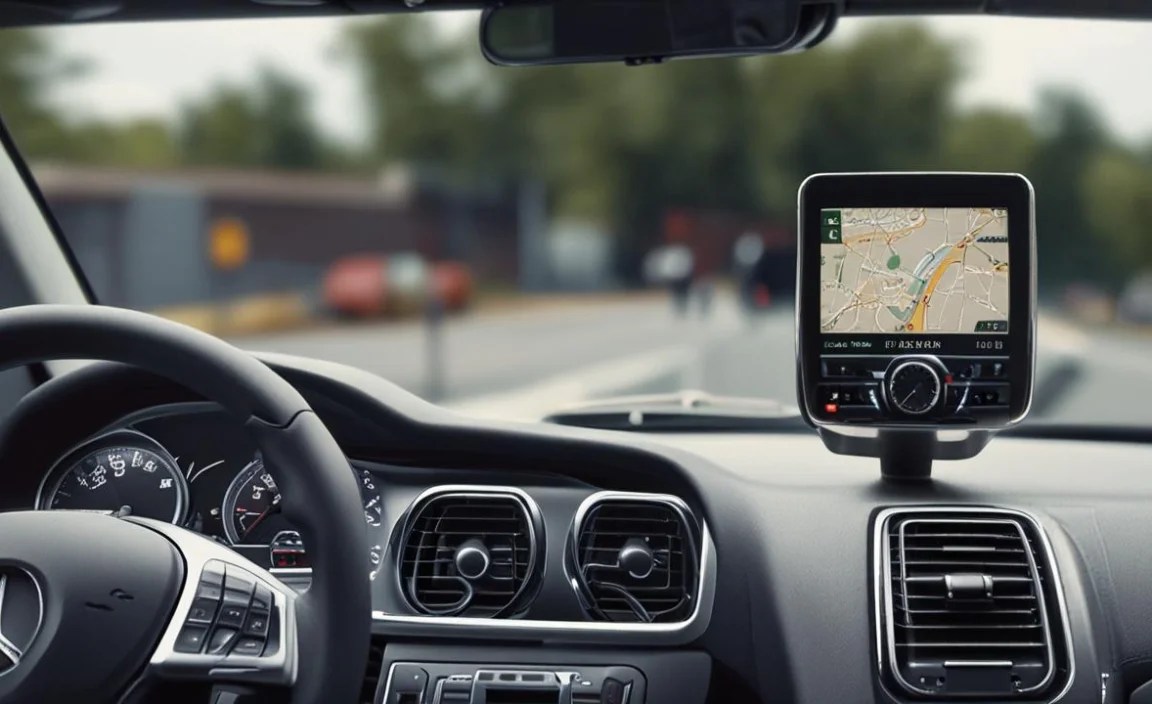
In the fast-paced world of logistics, time is money. Delays due to unexpected traffic jams or road closures can have significant financial implications, not to mention frustrating impacts on schedules. The Mercedes Actros navigation system’s ability to leverage real-time data is indispensable for maximizing efficiency.
Real-Time Traffic Information (RTTI): This feature continuously receives information about traffic conditions. It analyzes speed data from numerous sources, including other connected vehicles, traffic sensors, and reported incidents, to build a live picture of the road network. If the system detects a significant slowdown or blockage ahead on your planned route, it will alert you and, if possible, suggest an alternative, faster route. This dynamic rerouting can save hours of travel time over the course of a week.
Dynamic Rerouting: This is the active application of RTTI. When traffic conditions change, the system doesn’t just inform you; it proactively calculates a new path. For instance, if a major accident causes gridlock on your current highway, the system might suggest exiting sooner and taking a series of secondary roads to bypass the congestion. The accuracy and speed of these rerouting suggestions are key to their effectiveness.
Traffic Flow Visualization: Many displays will show traffic intensity visually, often using color-coded lines (e.g., green for free-flowing, yellow for moderate, red for heavy congestion, and dark red or black for standstill). This allows drivers to quickly gauge conditions even before a rerouting suggestion is made.
Integration with Logistics Platforms: In increasingly connected fleets, navigation systems can interface with fleet management software. This allows for dispatchers to send optimal routes directly to the driver’s screen, often incorporating knowledge of driver breaks, delivery windows, and load priorities, further streamlining operations.
The benefit of this real-time data integration cannot be overstated. It empowers drivers to make informed decisions on the fly, adapting to the ever-changing road conditions. This proactive approach to traffic management is a cornerstone of modern efficient trucking.
Intuitive Operation and Driver Comfort

A powerful navigation system is only truly effective if it’s easy and safe to use. Mercedes-Benz places a strong emphasis on driver ergonomics and minimizing distraction, and their Actros navigation systems reflect this commitment. The goal is to provide necessary information and functionality without overwhelming the driver or taking their focus away from the road.
User Interface and Ergonomics
The design of the driver’s cockpit in the Actros is centered around the driver. The navigation system’s interface is typically integrated into the central dashboard, often as part of a larger digital display cluster or a dedicated infotainment screen. Key principles behind its design include:
- Clear Layout: Menus and options are logically organized, using icons and text that are easy to understand at a glance.
- Large, Readable Fonts and Graphics: Designed for quick comprehension, even from a distance or when slightly out of focus.
- Contextual Menus: Options and information presented are relevant to the current task, reducing unnecessary scrolling.
- Customizable Dashboards: Drivers can often personalize what information is displayed on their screens, prioritizing navigation, vehicle status, or communication.
Voice Control: The Safest Way to Interact
Voice control is a paramount feature for safety and convenience. Modern Actros systems offer sophisticated voice command capabilities that allow drivers to manage many navigation functions without manual input:
- Destination Entry: Simply state the address, city, or even a saved favorite location.
- Navigation Commands: “Recalculate route,” “Show traffic on route,” or “Find nearest fuel station.”
- Phone Functions: Making and answering calls, or accessing contacts.
- Media Control: Playing specific music or radio stations.
The ability to keep both hands on the steering wheel and eyes on the road is a significant safety advantage, especially during complex maneuvers or in busy traffic. For those interested in the evolution of human-machine interfaces in vehicles, the International Organization for Standardization (ISO) sets standards that influence these developments, though direct links to industry specifics can be complex.
Connectivity and Entertainment
Beyond navigation, these systems serve as an entertainment and communication hub:
- Bluetooth Connectivity: Seamlessly pair smartphones for hands-free calling and audio streaming.
- USB Ports: Connect devices for charging, media playback, or software updates.
- Auxiliary Inputs (less common on modern systems): For older audio devices.
- Smartphone Integration (e.g., Apple CarPlay, Android Auto): Some higher-end systems may offer integration, allowing access to familiar smartphone apps in a car-friendly interface.
The integration of these features ensures that the driver can stay connected, entertained, and informed, making long journeys more bearable and productive.
Maintaining Your Navigation System for Peak Performance

Like any advanced technology, your Mercedes Actros navigation system performs best when it’s well-maintained. Regular updates and proper care ensure its accuracy, reliability, and optimal functionality. Keeping your system in top condition will prevent frustrating navigation errors and ensure you always have the most up-to-date information.
Software and Map Updates
Maps and navigation software are constantly evolving. Roads change, new points of interest emerge, and software glitches are ironed out. Mercedes-Benz provides regular updates for its navigation systems, and it’s crucial to install them:
- Map Updates: These ensure that your system has the latest road layouts, speed limits, and POI information. Outdated maps can lead to incorrect routing and missed turns.
- Software Updates: These often improve system performance, add new features, enhance the user interface, and fix bugs. They can also be critical for maintaining compatibility with real-time data services.
How to Update:
- Dealership Updates: The most common and often recommended method is to have updates performed by an authorized Mercedes-Benz service center during a routine maintenance visit. They have the specialized tools and authorized software.
- USB Updates (if supported): Some systems allow you to download updates onto a USB drive from a Mercedes-Benz portal or via your dealer. You then insert the USB into the vehicle’s port and follow on-screen instructions. This is less common for complex navigation systems in commercial vehicles but can be an option for certain models or updates.
- Over-the-Air (OTA) Updates: Newer Mercedes-Benz systems are increasingly capable of receiving updates wirelessly, similar to how your smartphone updates. This is the most seamless method if your vehicle supports it.
It’s advisable to check with your Mercedes-Benz dealer or consult your vehicle’s manual for the specific update procedures applicable to your Actros model year and navigation system.
Keeping the Display Clean
The touchscreen is your primary interface. Fingerprints, smudges, and dust can impair visibility and responsiveness. Regular cleaning is essential:
Recommended Cleaning Method:
- Turn off the ignition to prevent accidental inputs.
- Use a soft, lint-free microfiber cloth.
- For stubborn smudges, lightly dampen the cloth with a screen cleaning solution specifically designed for automotive displays or electronics. Avoid harsh chemicals, ammonia-based cleaners, or excessive moisture, as these can damage the screen coating.
- Gently wipe the screen.
- Allow the screen to dry completely before turning the vehicle back on.
System Reset and Troubleshooting
Occasionally, electronic systems can experience glitches. If your navigation system becomes unresponsive or behaves erratically, a reset might be necessary.
- Soft Reset: Often achieved by turning the vehicle off, waiting a minute, and then turning it back on.
- Hard Reset: Some systems have a physical reset button or a specific button combination to perform a more thorough reset. Consult your owner’s manual for specific instructions.
- Factory Reset: This is a more drastic step that will erase all customized settings, saved destinations, and paired devices. It should only be performed as a last resort, and ideally with guidance from a service technician.
If you encounter persistent issues, do not hesitate to contact your Mercedes-Benz dealer. They have diagnostic tools and expertise to resolve complex problems.
Comparing Navigation Systems and Options
Mercedes-Benz often offers different levels or generations of navigation systems within its Actros lineup, depending on the model year, trim level, and optional packages chosen by the original buyer. Understanding these differences can be helpful for current owners looking to upgrade or for prospective buyers comparing vehicles.
While specific model names and features evolve, here’s a general breakdown of what you might encounter:
Basic vs. Advanced Navigation Packages
Basic Navigation:
- Core GPS functionality.
- Pre-loaded European maps.
- Manual destination entry.
- Limited points of interest.
- Truck routing might be less sophisticated or absent.
Advanced/Premium Navigation (often part of multimedia or connectivity packages):
- High-resolution, larger touchscreens.
- Integrated real-time traffic information (RTTI).
- Advanced voice control.
- Enhanced Points of Interest with more detail (e.g., opening hours, services available).
- Sophisticated truck-specific routing with detailed vehicle profile settings.
- Potential for smartphone integration.
- Over-the-air updates.
Optional Features and Upgrades
Beyond the standard navigation, Mercedes-Benz may offer additional features or integration capabilities:
Fleet Management Integration: Some systems can integrate with fleet management software, allowing for seamless download of routes, driver logs, and vehicle diagnostics. This is typically an option for fleet operators rather than individual buyers.
Enhanced Infotainment: Navigation can be part of a broader infotainment system that includes advanced audio controls, streaming services, and multiple display options.
3D Map Views: Some systems offer more visually detailed maps, including 3D representations of cityscapes and terrain, which can aid orientation.
Typical Mercedes Actros Navigation System Features Table
| Feature | Basic System | Advanced System | Optional/Premium |
|---|---|---|---|
| GPS Accuracy | Standard | Standard | N/A (fundamental) |
| Map Coverage | Europe (pre-loaded) | Europe & potentially wider (pre-loaded) | N/A (coverage is usually region-based) |
| Real-Time Traffic Info (RTTI) | No | Yes | N/A (part of advanced) |
| Truck-Specific Routing | Basic | Advanced (detailed profiling) | Enhanced (e.g., ADR routes) |
| Voice Control | Limited | Full Functionality | N/A (part of advanced) |
| Touchscreen Display | Standard size/resolution | Larger/ |


