
EQS 450 Digital Cockpit Overview: Stunning Luxury
The EQS 450 digital cockpit offers a stunning, intuitive glimpse into Mercedes-Benz’s luxury EV future, blending advanced technology with elegant design. This overview simplifies its features, helping you navigate and personalize your driving experience with ease for a truly connected and luxurious journey.
Mercedes-Benz has always been synonymous with groundbreaking automotive innovation, and the EQS 450 is a prime example. At its heart lies a digital cockpit that’s not just functional, but a work of art. For many, stepping into a vehicle with such advanced technology can feel a little overwhelming. Where do you begin? How do you make it yours? Fear not, fellow enthusiasts! This guide is designed to demystify the EQS 450’s digital cockpit, making it feel less like a complex computer and more like an extension of your personal space.
We’ll walk through its key components, understand how to customize displays, and explore the smart features that make driving the EQS 450 an unparalleled experience. Get ready to unlock the full potential of your stunning luxury electric sedan.
—
The Heart of the Experience: Understanding the EQS 450 Digital Cockpit

The EQS 450 digital cockpit is a marvel of modern automotive engineering. It’s a completely digital interface that replaces traditional analog gauges and physical buttons with sleek, high-resolution screens. This transforms the driver’s area into an interactive hub, delivering information and entertainment with unparalleled clarity and style.
The core of this experience is centered around the driver’s immediate view. Unlike conventional dashboards, the EQS 450 features a seamless integration of displays that can adapt to your needs and preferences. This isn’t just about looking futuristic; it’s about making every drive more informed, personalized, and enjoyable.
Key Components of the Digital Cockpit
The EQS 450’s digital cockpit is comprised of several interconnected display elements. Understanding these components is the first step to mastering its capabilities.
Driver Display: This is the primary screen directly in front of the driver, replacing the traditional instrument cluster. It’s highly customizable, allowing you to choose what information is most important to you. Think speed, battery charge, navigation, driver assistance systems, and more.
Central Multimedia Display: This larger screen is located in the center of the dashboard. It controls most of the vehicle’s infotainment, navigation, climate control, and comfort settings. In the EQS, this often appears as part of a larger, unified display.
Optional MBUX Hyperscreen: For the ultimate immersive experience, the EQS 450 can be equipped with the MBUX Hyperscreen. This is a massive, curved glass panel stretching nearly the entire width of the dashboard, integrating three displays into one seamless unit. The driver display and central multimedia display are part of this, along with a dedicated passenger display.
The beauty of this setup is its flexibility. Mercedes-Benz has designed these displays to be intuitively controlled, primarily through touch or voice commands, ensuring that accessing complex information remains simple and straightforward.
Setting the Stage for Luxury and Technology
The overall design aims to create a futuristic yet inviting atmosphere. High-quality materials, ambient lighting, and sophisticated graphics come together to create a cabin that feels both advanced and supremely comfortable. The responsiveness of the touchscreens and the clarity of the graphics ensure that interacting with the technology is a pleasure, not a chore.
Navigating Your Digital World: The MBUX System

At the core of the EQS 450 digital cockpit is the Mercedes-Benz User Experience (MBUX) infotainment system. MBUX is designed to be intelligent, adaptable, and incredibly easy to use. It learns your habits and preferences over time, making your interactions more efficient and personalized.
The system can be controlled in several ways, offering a blend of modern convenience and traditional familiarity.
Control Methods at Your Fingertips (and Voice)
Touchscreen: Both the driver display and central multimedia display (and the passenger display on the Hyperscreen) are fully touch-sensitive. You can tap, swipe, and pinch just like on a smartphone or tablet.
Steering Wheel Touch Controls: The multifunction steering wheel features touch-sensitive buttons that allow you to navigate menus and select options without taking your hands off the wheel for extended periods.
Voice Control (“Hey Mercedes”): This is perhaps the most revolutionary aspect of MBUX. By simply saying, “Hey Mercedes,” you can activate the voice assistant to perform a vast array of tasks. Want to adjust the climate control, find the nearest charging station, or change the radio station? Just ask. The system understands natural language, making it incredibly intuitive.
The MBUX system is designed to proactively assist you. For instance, if you habitually call a specific person at a certain time of day, MBUX might suggest making that call. It can also remind you of upcoming appointments or suggest routes based on traffic conditions.
Personalization is Key
One of the most significant benefits of the EQS 450’s digital cockpit is the ability to personalize nearly every aspect of the display. This means you can tailor the information you see and how you see it, enhancing both convenience and safety.
Customizing the Driver Display
The driver display offers multiple “views” or “styles” that you can select from. These styles change the entire layout and the primary information presented.
Classic: This view often mimics traditional analog dials, offering a familiar look with speed and RPM (or energy usage in the EV context).
Sport: Typically presents information with a more aggressive, performance-oriented aesthetic.
Progressive: Focuses on modern design and often highlights navigation or EV-specific data prominently.
Service Based Views: You can also choose to prominently display information related to navigation, driver assistance systems, or vehicle status.
Within these views, you can further customize “widgets” or information panels. For example, on the right side of the display, you might choose to see current music, fuel (battery) range, or trip duration.
Customizing the Central & Passenger Displays
The central multimedia display, and the passenger display (if equipped with the Hyperscreen), offer even more customization. You can arrange app icons, select home screen layouts, and choose specific content to be readily accessible. Think of it like organizing your smartphone apps – you put what you use most often right where you can find it instantly.
Key Features and Their Functions Explained
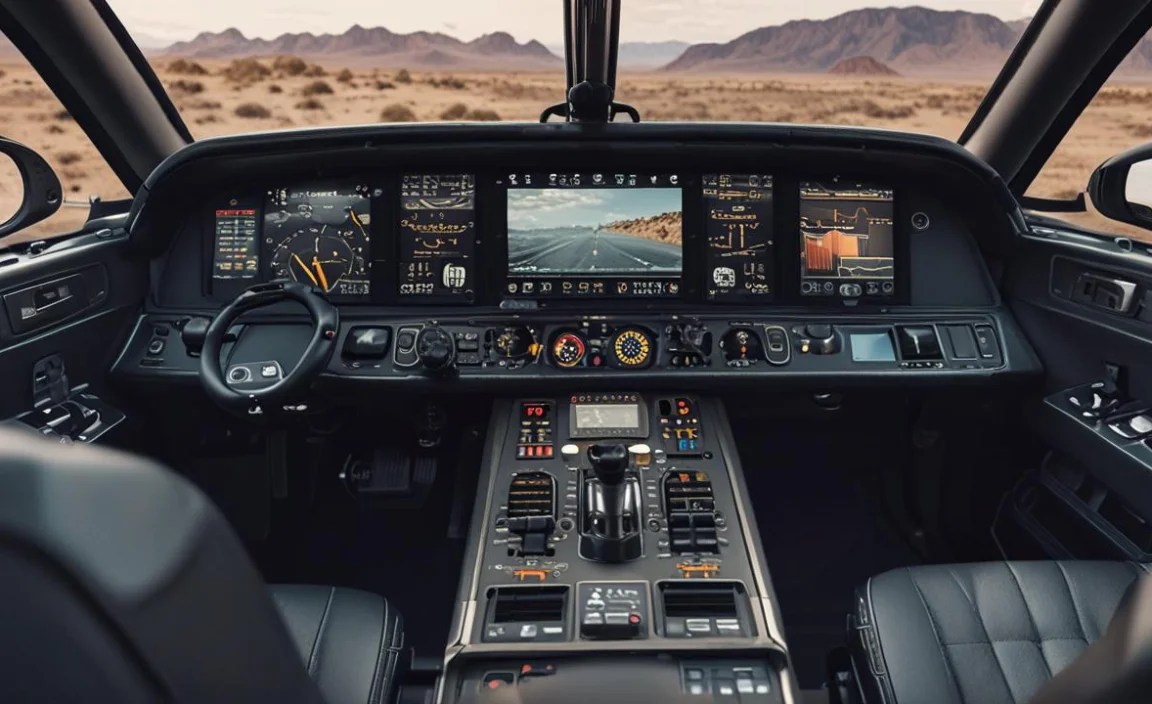
The EQS 450’s digital cockpit is packed with features designed to enhance your driving experience, from navigation and entertainment to vital vehicle information and advanced driver assistance.
Navigation and Route Planning
The integrated navigation system is a highlight. It provides clear, turn-by-turn directions, typically displayed both on the central screen and subtly within the driver display.
Electric Intelligence Navigation: For an EV, this is crucial. The system plans routes that include necessary charging stops, taking into account traffic, elevation changes, and charging speed. It even estimates charging times and suggests charging stops that align with your preferences, such as those with amenities.
Augmented Reality Navigation: Available on higher trims or as an option, AR navigation overlays navigation arrows and street names onto a live video feed of the road ahead, displayed on the central screen. This makes complex intersections much easier to navigate.
Destination Download: You can easily send destinations from your smartphone to the car, or vice-versa. Mercedes-Benz also offers services like “Route Infotainment” which provide additional information about points of interest along your route.
For more in-depth details on Mercedes-Benz navigation, you can always refer to the official Mercedes-Benz resources, which often provide vehicle-specific updates and features.
Infotainment and Connectivity
The MBUX system seamlessly integrates entertainment and connectivity:
Radio and Media: Access all your favorite radio stations, connect your smartphone via Bluetooth or USB for music playback, and stream audio from various apps.
Smartphone Integration: Apple CarPlay and Android Auto are standard, offering familiar interfaces for your essential phone apps.
Bluetooth Connectivity: Seamlessly connect your phone for hands-free calling and audio streaming.
Online Music Streaming: Access services like Spotify or Tidal directly through the MBUX system.
Driver Assistance Systems Visualization
One of the most impressive visual elements is the real-time visualization of the driver assistance systems. The digital cockpit provides a clear, graphic representation of what the car’s sensors (cameras, radar, lidar) are detecting around you.
See the Car’s “Eyes”: You can see other vehicles, pedestrians, and cyclists that the car is tracking.
Assistance System Status: The display clearly shows when systems like adaptive cruise control, lane keeping assist, blind-spot monitoring, and emergency braking are active, ready to intervene, or have intervened. This builds trust and understanding of the car’s advanced safety features.
Vehicle Status and Settings
Beyond the driving experience, the digital cockpit is your portal to managing the EQS 450 itself.
Battery Status and Range: Always know your current battery charge level and the estimated driving range on the current charge. The system can also show you energy flow and consumption data.
Charging Information: Monitor charging progress when plugged in, set charging schedules, and manage charging preferences for optimal battery health.
Vehicle Settings: Adjust everything from lighting preferences, door lock settings, and display themes to suspension settings and driving modes.
This comprehensive display ensures all necessary information is readily available, allowing you to stay informed and in control.
Exploring the MBUX Hyperscreen: A Panoramic Experience

For those who opt for the MBUX Hyperscreen, the digital cockpit takes on a breathtaking new dimension. It’s not just a screen; it’s a single, sweeping piece of glass that houses three distinct displays, creating an unparalleled visual experience.
What is the MBUX Hyperscreen?
The Hyperscreen is an optional feature that completely redefines the dashboard. It’s a 141-centimeter (55.5-inch) wide surface of glass, behind which are three OLED displays:
1. Driver Display: A 12.3-inch screen directly in front of the driver showing all essential driving information.
2. Central Multimedia Display: A 17.7-inch display in the center, serving as the primary hub for infotainment and vehicle settings.
3. Passenger Display: Another 12.3-inch OLED screen on the passenger side, offering customized entertainment, information, and climate controls for the front passenger.
Benefits of the Hyperscreen
Immersive Visuals: The sheer scale and seamless integration create a sense of digital immersion unlike anything else on the market.
Enhanced Personalization: The passenger display allows for a truly individualized experience, allowing your front-seat companion to control certain functions or enjoy their own entertainment.
Intuitive Interface: Despite its complexity, Mercedes-Benz has designed the Hyperscreen with an intuitive user interface, emphasizing ease of use and quick access to functions.
AI Learning: The system uses artificial intelligence to learn user habits and proactively display desired functions or information. For example, if you always call your spouse around lunchtime, the Hyperscreen might suggest the call option at that time.
The MBUX Hyperscreen represents a significant leap forward in automotive interior design and technology integration, making the EQS 450 a true showcase of future luxury.
Tips for Maximizing Your EQS 450 Digital Cockpit Experience

To truly appreciate and benefit from the advanced technology in your EQS 450, a few tips can go a long way.
1. Embrace Voice Control
Don’t be shy with “Hey Mercedes.” It’s incredibly powerful. The more you use it, the more natural it becomes, and the less you’ll need to take your eyes off the road to operate other controls. Try asking for directions, the weather forecast, or even to “warm up my seat.”
2. Explore Customization Options
Spend some time in the settings menu to tailor the displays to your liking. What information do you absolutely need at a glance? What can be accessed with a tap or a voice command? Personalizing the driver display layouts and the home screen of the central display can significantly improve your daily driving experience.
3. Understand the Driver Assistance Visualizations
Familiarize yourself with how the driver assistance systems are represented on screen. This visual feedback is key to understanding what the car is doing to help you. It builds confidence and ensures you can react appropriately when warnings or interventions occur.
4. Stay Updated
Mercedes-Benz frequently updates its MBUX software. Ensure your vehicle’s software is up-to-date, either through over-the-air (OTA) updates or at your dealership. Updates often bring new features, improve existing ones, and enhance performance.
5. Practice Safe Operation
While the systems are designed for ease of use, always prioritize driving safety. Use touch controls and voice commands when it’s safe to do so, especially when stationary or when only minor adjustments are needed. Familiarize yourself with the controls before you’re in a complex driving situation.
By actively engaging with these features and tips, you’ll unlock the full potential of your EQS 450’s digital cockpit, making every journey a seamless blend of cutting-edge technology and luxurious comfort.
Technical Specifications Overview
While the experience is paramount, understanding some technical aspects can further demystify the EQS 450’s digital prowess.
| Feature | Specification/Description | Notes |
| :———————– | :—————————————————————- | :——————————————————————- |
| Display Type | High-resolution OLED and LCD panels | Superior color, contrast, and viewing angles. |
| Screen Sizes | Driver Display: 12.3 inches (approx.) | Varies slightly with Hyperscreen |
| | Central Display: 17.7 inches (approx.) | Varies |
| | Passenger Display (Hyperscreen): 12.3 inches (approx.) | Only with MBUX Hyperscreen option |
| Total Hyperscreen Width | Up to 141 cm (55.5 inches) | For the integrated MBUX Hyperscreen setup. |
| Interface Type | Touchscreen, Steering Wheel Touch Controls, Voice Control | MBUX system |
| Voice Assistant | “Hey Mercedes” – Natural Language Understanding | Learns preferences, wide range of control functions. |
| Connectivity | Bluetooth, USB, Wi-Fi, Over-the-Air (OTA) Updates | For device integration and system software. |
| Navigation | Intelligent Navigation with Electric Route Planning, AR Navigation | Real-time traffic, dynamic route adjustments. |
| Software Platform | Mercedes-Benz User Experience (MBUX) | Constantly evolving with updates. |
| Graphics Processor | High-performance system for smooth animations and crisp visuals | Enables complex visualizations and rapid response. |
These technical specifications underpin the advanced functionality you experience. The robust processing power allows for the smooth, lag-free operation of complex graphics, real-time data processing for assistance systems, and the fluid user interface that defines the EQS 450.
Frequently Asked Questions (FAQs)
Q1: How do I activate the “Hey Mercedes” voice assistant?
Simply say, “Hey Mercedes” clearly. Make sure the MBUX system is active; you’ll usually see an indicator on the screen when it’s listening. You can also press a dedicated button on the steering wheel if you prefer.
Q2: Can I change the look of the driver display?
Yes! You can switch between different display styles like Classic, Sport, or Progressive. You can also customize the individual information panels (widgets) shown in each style to suit your preferences.
Q3: Is the MBUX Hyperscreen standard on all EQS 450 models?
No, the MBUX Hyperscreen is an optional feature. It is a unique and luxurious upgrade, but the standard digital cockpit in the EQS 450 is already incredibly advanced and user-friendly.
Q4: How does the car learn my preferences with MBUX?
MBUX uses artificial intelligence to observe your usage patterns. For example, if you frequently call a certain person or use a specific navigation route, the system will learn this and proactively suggest these actions to you.
Q5: How do I connect my smartphone for Apple CarPlay or Android Auto?
Connect your compatible smartphone to the car’s USB port (usually designated for phone integration) or via Bluetooth. The MBUX system will then prompt you to enable Apple CarPlay or Android Auto. You may need to consent to permissions on both your phone and the car’s system.
Q6: What happens if I don’t like the default settings?
The beauty of the EQS 450’s digital cockpit is its extensive customization. You can adjust almost every aspect, from screen layouts and colors to the information displayed. Explore the ‘Settings’ menu within the MBUX system to personalize your experience.
Q7: Where can I find more detailed information or troubleshooting for my MBUX system?
Your vehicle’s owner’s manual is the primary source for detailed information. Additionally, the Mercedes-Benz website and your local dealership’s service department can provide support and resources for your MBUX system. You can also find helpful guides on topics like software updates on official Mercedes-Benz support pages.
Conclusion: Your Gateway to the Electric Luxury of Tomorrow
The EQS 450 digital cockpit is more than just a collection of screens; it’s a sophisticated, intuitive interface that redefines your connection with the vehicle. From the crystal-clear displays to the intelligent MBUX system with its powerful voice control, every element is designed to enhance your driving experience, making it safer


