
Mercedes GLA Connect App: Ultimate Driving Experience
Unlock the full potential of your Mercedes-Benz GLA with the Mercedes me connect app. Seamlessly integrate your smartphone with your vehicle for enhanced navigation, remote control, personalized services, and an unparalleled driving experience. This guide will show you how to set up and utilize its key features.
Driving a Mercedes-Benz GLA should be an experience that extends far beyond the physical act of driving. Imagine having your car’s most vital functions and information accessible right from your smartphone, allowing you to control, monitor, and optimize your journey even before you start the engine. The Mercedes me connect app makes this a reality, transforming your GLA into a more connected, intelligent, and convenient partner on the road. For many new owners, however, the initial setup and full utilization of its features can seem a bit daunting. That’s where we come in. At MercedesBlue, we believe in empowering you to understand and enjoy every aspect of your Mercedes-Benz. This comprehensive guide will walk you through everything you need to know to get the most out of your Mercedes GLA connect app, ensuring your driving experience is as seamless and luxurious as you expect.
Getting Started with the Mercedes me connect app

The journey to an enhanced driving experience begins with a simple setup process. The Mercedes me connect app acts as your digital key, unlocking a host of services designed to simplify your life and elevate your time behind the wheel. Before diving into the advanced features, let’s make sure you’re properly connected.
Downloading and Installing the App
First things first, you’ll need the app on your smartphone. It’s available for both iOS and Android devices.
For iOS users: Head to the Apple App Store and search for “Mercedes me.”
For Android users: Navigate to the Google Play Store and search for “Mercedes me.”
Once you find it, download and install the application. It’s a straightforward process, just like any other app.
Creating Your Mercedes me Account
After installing the app, you’ll need to create a Mercedes me account. This account is your personal gateway to all Mercedes me services.
1. Open the app: Launch the Mercedes me app on your smartphone.
2. Sign up/Register: Look for the option to “Register” or “Create an Account.”
3. Provide details: You’ll be asked to enter your email address, create a password, and provide some basic personal information. Ensure you use an email address you regularly check, as it will be used for important communications.
4. Verify your email: You’ll typically receive a verification email. Click the link inside to confirm your account.
Linking Your Mercedes-Benz GLA to Your Account
This is the crucial step that connects your vehicle to your digital world.
1. Log in to the app: Use your newly created Mercedes me account credentials to log in.
2. Add a vehicle: Look for an option like “Add Vehicle” or a “+” icon.
3. Enter Vehicle Identification Number (VIN): You’ll need your GLA’s VIN. This is usually found on the driver’s side dashboard visible through the windshield, on the driver’s side doorjamb, or on your vehicle registration documents.
4. Vehicle registration: Follow the prompts to confirm your ownership and link the vehicle. This may involve a confirmation step within your car’s infotainment system.
Once your vehicle is successfully linked, you’ll see your GLA displayed within the app, ready for you to explore its connected features.
Exploring the Core Features of the Mercedes GLA Connect App

The Mercedes me connect app is packed with features designed to enhance your ownership experience, from everyday convenience to peace of mind. Let’s break down some of the most impactful ones.
Remote Access and Control
This feature allows you to interact with your GLA from a distance, offering unparalleled convenience.
Remote Door Lock/Unlock: Forgot if you locked your car? No problem. You can lock or unlock your GLA’s doors directly through the app.
Remote Window and Sunroof Control: Open or close your windows and sunroof remotely, perfect for airing out the car on a hot day before you get in.
Remote Engine Start: In many regions and for specific models, you can start your GLA’s engine remotely, allowing the climate control system to pre-condition the cabin to your desired temperature. This is a game-changer for comfort in extreme weather.
Vehicle Finder: Misplaced your GLA in a crowded parking lot? The app can show you its last known location on a map.
Vehicle Status and Monitoring
Stay informed about your GLA’s health and vital statistics without having to be by the car.
Vehicle Status: Check essential information like fuel level, tire pressure, and mileage.
Dashboard: Get a digital view of your car’s dashboard, including warning lights and service indicators.
Service Due: The app will notify you when your vehicle is due for scheduled maintenance, helping you stay on top of essential servicing. You can often even book appointments directly through the app.
Navigation and Maps
The connect services integrate sophisticated navigation tools that work hand-in-hand with your car’s MBUX infotainment system.
Send Destinations to Vehicle: Plan your route on your phone and send the destination directly to your GLA’s navigation system. This saves you from typing addresses into the car’s interface.
Parking Finder: Locate available parking spots near your destination.
Live Traffic Information: Receive real-time traffic updates to help you avoid congestion and optimize your travel time.
Online Map Updates: Ensure your navigation system always has the latest maps.
Digital Assistance Services
Mercedes me connect bridges the gap between you and dedicated support.
Concierge Services: Depending on your package, you might have access to a dedicated concierge who can assist with bookings, information, and more.
Emergency Call (eCall): In the event of an accident, your vehicle can automatically initiate an emergency call, transmitting your location and vehicle details to the relevant authorities.
Breakdown Management: If you experience a breakdown, the app can help facilitate assistance through Mercedes-Benz roadside services.
Personalization and Convenience
Tailor your GLA’s experience to your preferences and simplify daily interactions.
Personal Profiles: Save your seat, mirror, climate, and infotainment settings to your Mercedes me profile. These settings can then be automatically applied when you or another driver with a linked profile gets into the car.
Car-to-The-Home Communication: Some models allow you to send information, like upcoming appointments or fuel levels, from your car to your smart home devices or personal calendar.
News and Weather: Get personalized news and weather updates directly within the app.
Integrating with Your GLA’s MBUX System

The true magic happens when the Mercedes GLA connect app’s capabilities seamlessly merge with your GLA’s cutting-edge MBUX (Mercedes-Benz User Experience) infotainment system. This synergy creates a fluid and intuitive digital environment.
Pairing Your Phone for Full Functionality
While the Mercedes me connect app handles remote services, you’ll also want to pair your smartphone directly with the MBUX system for features like Apple CarPlay and Android Auto.
1. Enable Bluetooth: Ensure Bluetooth is turned on in both your phone and your GLA’s MBUX system.
2. Discover Devices: In your MBUX settings, search for available Bluetooth devices.
3. Select your phone: Choose your smartphone from the list.
4. Confirm pairing: Both your phone and the MBUX system will display a pairing code. Confirm that they match to establish the connection.
5. Grant Permissions: Your phone will ask for permission to access contacts, messages, and location services. Granting these is essential for features like hands-free calling and full smartphone integration.
For Apple CarPlay and Android Auto, you might also need to connect your phone via a USB cable, depending on your GLA’s specific configuration and software version. Refer to your GLA’s owner’s manual for the exact steps.
Using Live Traffic and Navigation Together
When both the Mercedes me connect app and the MBUX navigation system are active, they can enhance each other. Sending a destination from the app to the car is just the beginning. While driving, the MBUX navigation system uses real-time data, often enhanced by the connect services, to provide dynamic routing.
Real-time rerouting: If traffic conditions change, the system will proactively suggest a faster alternate route.
Parking information: The navigation system can display available parking near your destination, which can be pre-filtered by type or price.
Online search for points of interest (POIs): Beyond pre-programmed POIs, the MBUX system can search the internet for businesses, restaurants, and landmarks, offering more flexibility and up-to-date information.
Voice Control Excellence with “Hey Mercedes”
The MBUX system’s natural language voice recognition is a centerpiece of the connected experience.
1. Activation: Simply say, “Hey Mercedes.”
2. Issuing Commands: You can then issue commands naturally, such as:
“Hey Mercedes, navigate to the nearest coffee shop.”
“Hey Mercedes, what’s the weather like tomorrow?”
“Hey Mercedes, I’m cold.” (This will adjust the cabin temperature.)
“Hey Mercedes, set cruise control to 70.”
“Hey Mercedes, play my favorite playlist.”
The voice control integrates deeply with the navigation, communication, and entertainment systems, making it intuitive to manage various functions without taking your hands off the wheel or your eyes off the road. This is where the Mercedes GLA connect app’s ability to send destinations directly becomes even more seamless – you can simply say, “Hey Mercedes, start navigation to that destination I sent from my phone.”
Optimizing Your Driving Experience with Advanced Features
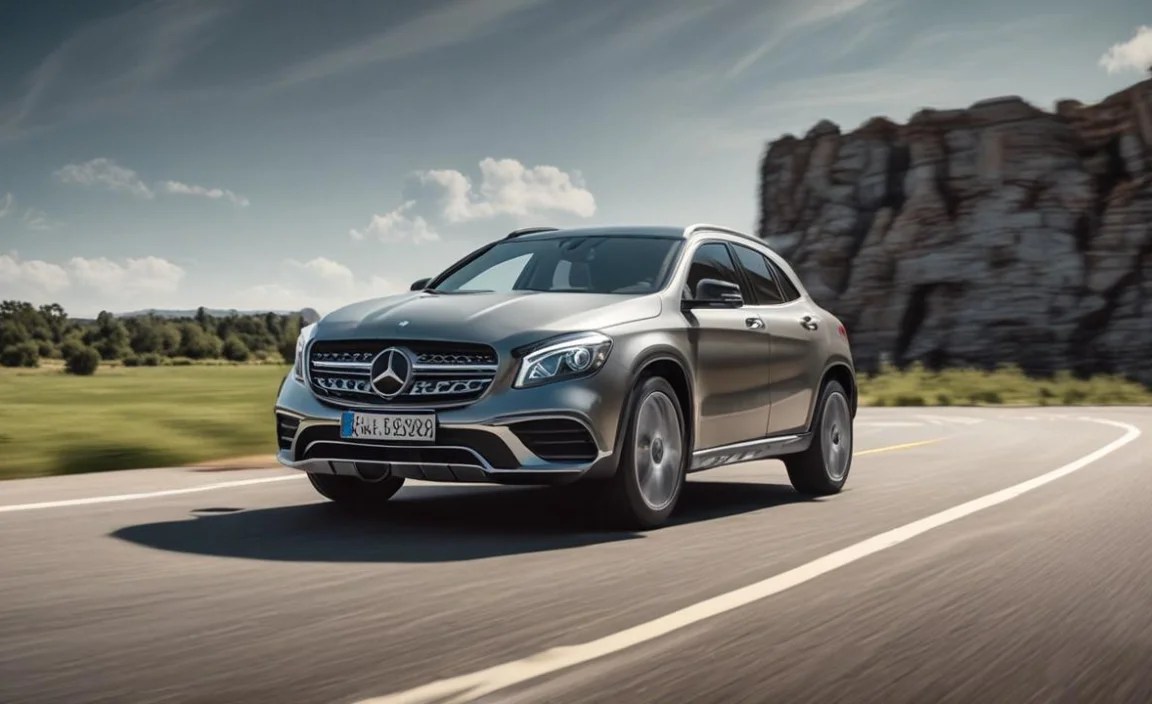
Beyond the basics, the Mercedes GLA connect app offers a suite of services that can truly elevate your journey. These features often come as part of subscription packages, so it’s worth checking what’s included with your GLA.
Eco-Efficiency Recommendations
Mercedes-Benz is committed to efficiency, and the connect services can help you drive more economically.
Driving Style Analysis: The system analyzes your driving style to provide feedback on how you can improve fuel efficiency. This includes tips on acceleration, braking, and speed adaptation.
Route-Based Efficiency: For navigation, the system can suggest routes that prioritize fuel economy, considering factors like speed limits, terrain, and traffic flow.
Energy Flow Visualization: For hybrid or electric GLA models, the app and MBUX system provide detailed visualizations of energy flow, helping you understand how energy is used and regenerated.
Digital Key Functionality
For supported smartphones and GLA models, the Mercedes me connect app can function as a digital key. This allows you to lock, unlock, and even start your car using your phone, without needing the physical key fob.
Convenience: This is incredibly useful if you prefer to carry less, or if you need to lend your car to someone.
Setup: The digital key requires a specific setup process, often involving verifying your identity and that of the authorized driver. You can find detailed instructions within the Mercedes me app or your vehicle’s manual. For more on vehicle security and digital access, consult resources like the National Institute of Standards and Technology (NIST) Cybersecurity for general principles of digital security applicable to connected vehicles.
Predictive Maintenance Alerts
While the basic service reminders are helpful, some advanced connect packages offer predictive maintenance. This means your GLA can analyze sensor data to anticipate potential issues before they become major problems.
Early warnings: The system might detect subtle changes in performance or component wear that indicate a need for attention, long before a dashboard warning light would illuminate.
Proactive issue resolution: This allows you to schedule service proactively, avoiding unexpected breakdowns and potentially costly repairs.
Curated Content and Services
The connected nature of your GLA allows for personalized content and services to be delivered directly to you.
In-Car Office: For those who need to stay productive on the go, this feature can offer access to calendars, email, and note-taking functions directly within the MBUX system.
In-Car Purchases: Depending on your region and subscription, you might be able to purchase additional services, such as a usage-based in-car Wi-Fi hotspot directly through the Mercedes me portal or app.
Personalized Recommendations: Based on your driving habits and location, the system can offer personalized recommendations for restaurants, points of interest, or even music.
Understanding Mercedes me connect Packages and Subscriptions

Mercedes me connect isn’t a one-size-fits-all service. It’s often structured into different packages that offer varying levels of functionality. Understanding these packages is key to knowing which features are available to you and how to access them.
Common Package Categories
While specific package names and offerings can vary by region and model year, they generally fall into these categories:
Basic Services: These often include essential safety and security features like emergency call, breakdown management, and remote vehicle status monitoring (e.g., fuel level, mileage). These are frequently included for a period after purchase.
Navigation Services: Enhanced navigation features like live traffic information, route-based efficiency, and online map updates.
Remote Services: The ability to control vehicle functions remotely, such as door lock/unlock, climate control, and engine start.
Digital Extras: These can encompass a wide range of features, including vehicle finder, parking finder, in-car office, and more personalized content.
Service Terms and Renewal
Most Mercedes me connect services are offered for an initial complimentary period, after which a subscription is required to continue using them.
Initial Complimentary Period: New vehicles typically come with a complimentary period for certain services, often ranging from 6 months to 3 years.
Renewal: Before your complimentary period expires, you will usually receive notifications about renewal options. You can typically manage your subscriptions through the Mercedes me portal online or via the Mercedes me app.
Subscription Management: It’s crucial to manage your subscriptions to ensure you don’t lose access to features you rely on, or to avoid paying for services you no longer use.
Checking Your Compatibility and Services
The best way to know exactly what services are available for your specific Mercedes-Benz GLA and what you currently have active is to:
1. Log in to your Mercedes me account: Visit the Mercedes me portal on a web browser or use the Mercedes me app.
2. Navigate to “My Vehicles”: Your linked GLA should be displayed.
3. Select “Services”: Here you will see a list of available and active services, along with their expiry dates and renewal options.
You can also consult your GLA’s owner’s manual or speak with your Mercedes-Benz dealership for detailed information on packages and options available for your model year. For understanding how digital services are evolving in the automotive sector, you might find reports and articles from the Internet Assigned Numbers Authority (IANA) regarding domain name systems and network protocols useful in appreciating the underlying infrastructure that enables these technologies.
Troubleshooting Common Issues
Even with advanced technology, occasional hiccups can occur. Here are some common issues with the Mercedes GLA connect app and their simple solutions.
App Not Connecting to Vehicle
Check Connectivity: Ensure both your smartphone and your GLA have a stable internet connection (cellular for the phone, and the car’s built-in connection if applicable).
Restart App & Vehicle: Close the Mercedes me app completely and reopen it. Try restarting your car’s MBUX system (consult your manual for the exact procedure, often involves holding down certain buttons).
Re-pair Vehicle: In rare cases, you might need to un-link your vehicle from your Mercedes me account and then re-link it.
Software Updates: Ensure both the Mercedes me app on your phone and your GLA’s MBUX software are up to date.
Remote Features Not Working
Subscription Status: Verify that your Mercedes me connect subscription for the relevant services is still active.
Vehicle Status: Ensure the vehicle’s low battery voltage isn’t preventing remote operations. Modern cars often have systems to prevent critical battery drain


