
Mercedes A Class Ambient Light Customization: Ultimate Luxury
Customize your Mercedes A Class ambient lighting to create an unparalleled atmosphere of luxury, reflecting your personal style with vibrant colors and dynamic effects. This guide offers a beginner-friendly approach to unlocking the full potential of your interior illumination.
Welcome to the world of personalized luxury! Your Mercedes-Benz A-Class is already a marvel of engineering and design, but did you know you can elevate its interior ambiance even further? The ambient lighting system is a sophisticated feature that allows you to paint your cabin with virtually any color imaginable.
For newcomers to the MBUX infotainment system, understanding how to tweak these settings might seem a bit daunting. But fear not! We’re here to make it simple. Let’s dive into how you can transform your A-Class into a truly unique space that perfectly matches your mood and taste, making every drive a more luxurious experience.
Why Ambient Lighting Matters in Your A-Class

Ambient lighting in a car isn’t just about aesthetics; it’s about creating an experience. In a Mercedes-Benz A-Class, this advanced system goes beyond simple illumination. It sets the mood, enhances the feeling of luxury, and can even improve nighttime visibility of essential controls without being distracting. A well-chosen color can make the cabin feel cozier, more energetic, or more serene. It’s a subtle yet powerful way to connect with your vehicle and make it feel truly yours.
Understanding Your Mercedes A-Class Ambient Lighting System

The ambient lighting in your A-Class is part of the MBUX (Mercedes-Benz User Experience) system, integrated with your car’s advanced technology. It usually comprises LED strips integrated into the dashboard, door panels, and sometimes even the center console and seat crevices. These LEDs are not static; they can display a spectrum of colors and often feature dynamic animations.
Key Components and Features:
LED Strips: These are the physical light sources strategically placed throughout the cabin.
MBUX Control: The system is managed through the large central touchscreen display.
Color Palette: A vast selection of millions of colors can be chosen.
Brightness Control: You can adjust the intensity of the lighting.
Dynamic Effects: Some models offer animated lighting sequences.
Zone Control: Advanced systems might allow for different colors in different zones (e.g., dashboard vs. doors).
Integration with Driving Modes: Lighting can sometimes change based on the selected drive mode (e.g., Sport mode might activate a red hue).
Getting Started: Accessing Ambient Lighting Controls
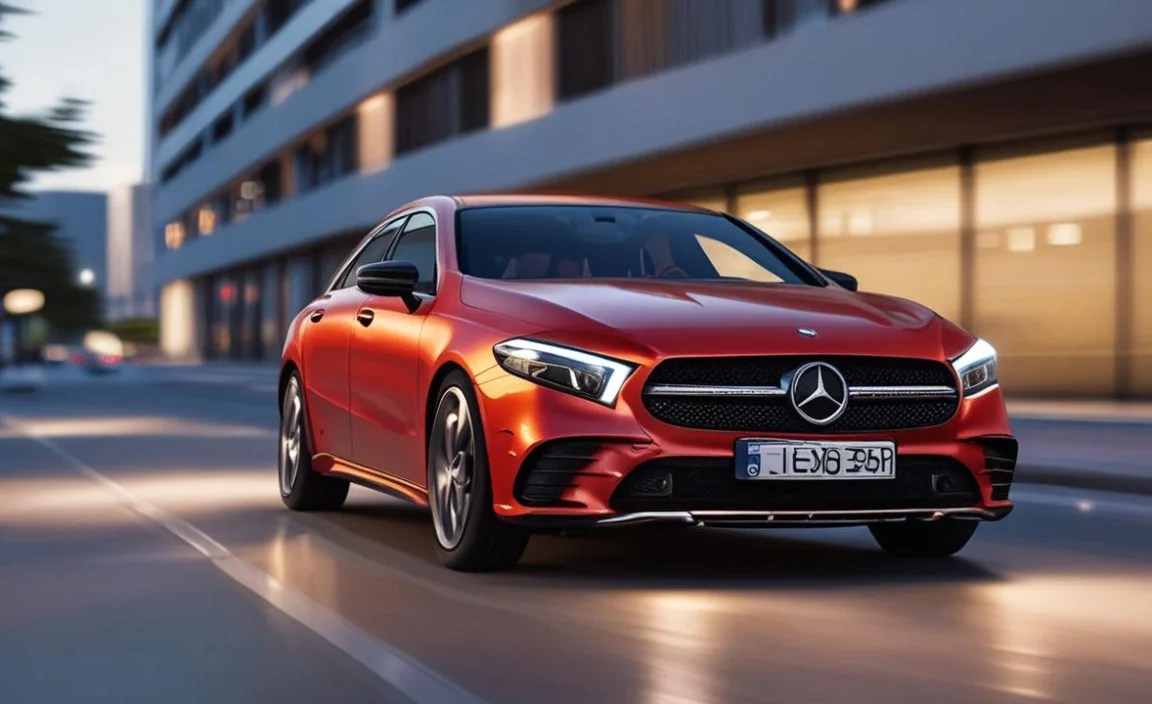
Navigating the MBUX system for the first time can feel a bit overwhelming, but the ambient lighting controls are quite intuitive once you know where to look.
Step-by-Step Guide to Basic Customization:
1. Power On Your MBUX System: Ensure your car is in “Accessory” mode or running so the infotainment system is active.
2. Navigate to the “Car” Menu: On the main MBUX screen, tap the “Car” icon. This is your gateway to vehicle settings.
3. Select “Comfort”: Within the “Car” menu, find and select the “Comfort” option. This section houses various interior comfort settings.
4. Choose “Ambient Lighting”: You should see a dedicated option for “Ambient Lighting.” Tap on this.
5. Explore the Color Options: This is where the fun begins! You’ll be presented with a color wheel, preset color palettes, or options to select individual colors.
Color Wheel: Swipe your finger across the wheel to select almost any color you desire.
Presets: Mercedes-Benz often provides curated color schemes designed to complement different moods or driving scenarios.
Manual Color Selection: You might have options to select specific shades or even input color codes (RGB values for advanced users).
6. Adjust Brightness: Look for a slider or +/- buttons to control the intensity of the ambient lighting. You want it noticeable but not distracting.
7. Save Your Settings: Once you’ve found a color and brightness you love, make sure to save it. The system usually saves your last selection automatically, but check if there’s an explicit “Save” button.
This basic customization is often all that’s needed to significantly enhance your driving experience. It’s a quick and easy way to make your A-Class feel brand new.
Advanced Customization: Unlocking Dynamic Effects and Presets

Beyond static color choices, your A-Class ambient lighting can offer more dynamic and engaging experiences. These features add another layer of luxury and personalization.
Exploring Dynamic Programs (If Equipped):
Some A-Class models, especially those with the enhanced ambient lighting package, offer “Dynamic Light Programs.” These are pre-programmed animated sequences designed to enhance the cabin’s atmosphere.
1. Accessing Dynamic Programs: In the “Ambient Lighting” menu, look for an option labeled “Dynamic” or “Light Shows.”
2. Selecting a Program: You’ll likely see a list of available programs. Common examples include:
“Spectrum”: Smoothly cycles through a wide array of colors.
“Chill”: A calming, slow transition through softer hues.
“Energizing”: More vibrant and faster color changes.
“Sport”: Often features bolder colors like red or blue, possibly with more dynamic transitions.
3. Customizing Dynamic Programs: Some systems allow you to adjust the speed of transitions or select specific color palettes for these dynamic modes.
Creating Your Own Presets
While MBUX might not offer a full “create your own preset” function in the same way you save radio stations, you can effectively create your “presets” by:
Finding a color you love: Spend time exploring the color wheel or palettes.
Adjusting brightness: Set it to your preference.
If your car has multiple zones: Experiment with different colors for different areas. For example, a cool blue on the doors and a softer white on the dashboard.
Remembering your favorite combinations: While not saved as a named preset, you can recall your favorite colors by navigating back to them.
Technical Aspects: Understanding Color and Brightness

The technology behind the ambient lighting is impressive. It uses advanced LED technology, often RGB (Red, Green, Blue) LEDs, which can be mixed in various proportions to produce millions of colors. The MBUX software then controls these LEDs with precision.
Color Theory and Car Interiors
Choosing the right color can significantly impact your mood and perception of the space:
Blues and Greens: Can create a calming, serene atmosphere, ideal for long drives or relaxation.
Reds and Oranges: Tend to be more energizing and stimulating, suitable for a more dynamic driving feel.
Whites and Cool Tones: Offer a modern, sophisticated look and can enhance visibility.
Warm Tones (Yellows, Oranges): Can make the cabin feel cozier and more inviting.
It’s also important to consider how colors might interact with the different materials and finishes within your A-Class.
Brightness Settings: Finding the Sweet Spot
Setting the brightness is crucial. Too bright, and it can be distracting or create glare, especially at night. Too dim, and you won’t appreciate the effect.
Start at a medium setting: Then adjust up or down until it feels right for your eyes.
Consider your driving conditions: You might want a slightly brighter setting during daylight and a much dimmer one at night.
MBUX typically remembers your last setting: So once you find your perfect balance, it should remain the same for your next drive.
Troubleshooting Common Ambient Lighting Issues

While the system is generally reliable, like any electronic component, you might encounter occasional issues.
Common Problems and Solutions:
Lights Not Turning On:
Check MBUX: Ensure ambient lighting is enabled in the “Comfort” settings.
Restart MBUX: Turn the car off, wait a minute, then restart. Sometimes a soft reboot resolves glitches.
Check Fuses: If issues persist, consult your owner’s manual or a dealer to check relevant fuses.
Specific LEDs Not Working or Flickering:
This often indicates a hardware issue with the LED strip itself. It’s best to have this diagnosed by a Mercedes-Benz authorized service center.
Colors Appearing Washed Out or Incorrect:
Recalibrate: Sometimes, going through the color selection process again and saving your preferred color can help.
Software Update: Ensure your MBUX system is up-to-date. Dealers can check for available software updates that might resolve minor bugs.
Brightness Not Adjusting:
Check for Software Glitches: Try restarting the MBUX system.
Seek Professional Help: If the slider is unresponsive, it may require a technician’s attention.
For any persistent or complex issues, it is always recommended to contact your local Mercedes-Benz dealership or an authorized service center. They have the diagnostic tools and expertise to resolve intricate technical problems.
Enhancing Your Experience: Accessories and Further Customization
While the factory ambient lighting is sophisticated, some enthusiasts look for even more ways to personalize their A-Class.
Aftermarket Solutions (Use with Caution):
There are aftermarket ambient lighting kits available that offer more advanced features, such as app control, sound-reactive modes, or more extensive zone control. However, installing these can be complex and may potentially:
Void Warranty: Improper installation could affect your vehicle’s warranty.
Interfere with CAN Bus: These systems communicate with your car’s network, and a poorly designed kit could cause electrical issues.
Compromise Fit and Finish: Aftermarket additions might not integrate as seamlessly as factory options.
Recommendation: If you’re considering aftermarket options, always opt for reputable brands and ensure the installation is performed by a qualified professional. Research thoroughly and understand the risks involved. For most owners, the stunning capabilities of the factory MBUX ambient lighting are more than sufficient for a luxurious experience.
Lighting for Specific Moods and Occasions:
Think about how you use your A-Class:
Daily Commute: A calm, consistent color like a soft blue or white can make the drive more relaxing.
Night Out: Vibrant, confident colors like deep purple or electric blue can add a touch of excitement.
Road Trips: Experiment with warmer tones to create a cozy, inviting atmosphere for longer journeys.
Special Occasions: Celebrate with dynamic programs or bold color choices.
The beauty of the system is its flexibility. You can change it as often as you like to match your mood or the moment.
Frequently Asked Questions (FAQ) about Mercedes A Class Ambient Light Customization
Here are some common questions beginner owners have about their A Class ambient lighting.
What is the MBUX system responsible for in my Mercedes A Class?
The MBUX (Mercedes-Benz User Experience) system is your car’s central infotainment hub. It controls everything from navigation and media playback to climate control and vehicle settings, including the ambient lighting, allowing for a fully integrated and customizable interior experience.
Can I change the ambient lighting colors in my Mercedes A Class?
Yes, absolutely! Your Mercedes A-Class, equipped with MBUX, offers a wide spectrum of colors that you can easily select and customize through the vehicle’s touchscreen interface. You can choose virtually any color from a digital color palette.
How do I adjust the brightness of the ambient lighting?
Brightness is controlled within the “Ambient Lighting” menu on the MBUX system. You’ll typically find a slider or +/- buttons that allow you to increase or decrease the intensity of the light to your preferred level, ensuring optimal visibility and ambiance.
Are there preset color themes for the ambient lighting?
Yes, Mercedes-Benz usually provides a selection of curated preset color themes. These are designed to complement different moods and driving scenarios. You can also explore “Dynamic Light Programs” on some models, which involve animated color sequences.
What are “Dynamic Light Programs” for ambient lighting?
Dynamic Light Programs are pre-programmed animated lighting effects that smoothly transition through different colors or patterns. They add an extra layer of visual flair and can be selected from the Ambient Lighting menu to create specific moods, such as “Spectrum” or “Energizing.”
Can I set different colors for different parts of the car?
Depending on your specific A-Class model and optional packages, you may have the ability to control different lighting zones independently. This allows for even more advanced customization, such as having one color on the dashboard and another on the door panels.
My ambient lights aren’t working. What should I do?
First, check that the ambient lighting is enabled in the MBUX settings and that the brightness is turned up. If issues persist, try restarting the MBUX system by turning the car off and then on again. For persistent problems, it’s best to consult your owner’s manual or contact a Mercedes-Benz service center.
Conclusion
Customizing the ambient lighting in your Mercedes-Benz A-Class is one of the most accessible and impactful ways to personalize your driving experience. From setting a calming mood for your daily commute to adding a vibrant flair for a weekend drive, the MBUX system puts a universe of color at your fingertips. By understanding how to navigate the menus, explore the color options, and adjust the brightness, you can transform your A-Class cabin into a sanctuary that perfectly reflects your style and enhances every journey. Embrace the luxury, play with the colors, and make your Mercedes truly your own.
Here’s a table summarizing some popular ambient lighting color choices and their typical effects:
| Color Category | Typical Colors | Common Effects/Moods | Potential Use Case |
|---|---|---|---|
| Cool Tones | Blues, Greens, Cyans | Calming, Serene, Futuristic | Relaxing drives, focusing, nighttime |
| Warm Tones | Reds, Oranges, Yellows | Energizing, Cozy, Welcoming | Sporty feel, long trips, evening comfort |
| Neutral Tones | Whites, Silvers, Grays | Sophisticated, Clean, Modern | Everyday driving, highlighting interior design |
| Vibrant Tones | Purples, Magentas, Bright Multi-colors | Luxurious, Playful, Dynamic | Special occasions, evening ambiance |
Remember, the best settings are the ones that make you feel good when you’re behind the wheel. Enjoy the process of discovery and tailor your A-Class interior to perfection. If you’re interested in learning more about the advanced technology underpinning your Mercedes-Benz, resources like the official Mercedes-Benz technical information portal offer deep dives into various systems, though access might be limited to professionals. For everyday users, the MBUX system itself is your primary tool for unlocking the full potential of your car’s interior features.


