
EQE 350+ Wireless Device Charging: Effortless Power
EQE 350+ Wireless Device Charging streamlines your daily drive by offering a convenient, cable-free way to power your compatible smartphone. Simply place your device in the designated charging pad, and watch it power up effortlessly, eliminating clutter and ensuring you’re always connected.
The modern drive demands constant connectivity, and your smartphone is often the hub for navigation, entertainment, and communication. For those behind the wheel of a Mercedes-Benz EQE 350+, keeping that vital device charged shouldn’t be a hassle. Fumbling with cables or searching for an available USB port can be a distraction. Fortunately, the EQE 350+ integrates a sophisticated wireless charging system, designed to make powering your phone as simple as placing it down. This feature is more than just a convenience; it’s a seamless part of the premium driving experience, ensuring your essential tech stays ready for action without adding to the cabin’s clutter. Let’s explore how this effortless power works and how you can best utilize it on your journeys.
Understanding Your EQE 350+ Wireless Charging System

Mercedes-Benz is renowned for its intuitive technology, and the wireless charging in your EQE 350+ is a prime example. It leverages the Qi wireless charging standard, an industry-wide protocol that allows compatible devices to charge inductively—meaning without physical cables. This system is strategically placed within the vehicle’s cabin to offer maximum convenience while minimizing driver distraction.
The charging pad’s location is carefully chosen for accessibility. Typically, it’s integrated into the center console or a designated storage area. This placement ensures that your phone is within easy reach while remaining secure and out of the way during your drive. The system connects directly to the vehicle’s power supply, so as long as your EQE 350+ is powered on, your device can receive a charge.
Key Components of the Wireless Charging System:

- Charging Pad: The physical surface where you place your compatible smartphone. It contains inductive coils that transmit power.
- Charging Coil (in device): Your smartphone must also possess an internal wireless charging coil to receive power. Most modern flagship smartphones from major manufacturers include this technology.
- Power Management System: Integrated within the EQE 350+’s electronics, this system manages the power flow to the charging pad, ensuring safe and efficient charging.
- Indicator Lights/Display: The vehicle’s infotainment system or a small LED on the pad itself will typically indicate when a device is correctly placed and charging.
The beauty of this system lies in its simplicity. Unlike wired charging, which requires finding the right cable and port, wireless charging is a “drop and forget” solution. This not only declutters your car’s interior but also reduces wear and tear on your phone’s charging port, which can be a common point of failure over time.
Ensuring Device Compatibility

Before you can enjoy the convenience of wireless charging, it’s crucial to confirm that your smartphone supports this technology. The industry standard for wireless charging is called Qi (pronounced “chee”). Most modern smartphones, including the latest models from Apple, Samsung, Google, and others, come equipped with Qi-compatible wireless charging capabilities.
How to Check if Your Phone is Qi-Compatible:

- Check Your Phone’s Specifications: The easiest way is to look up your phone model’s specifications online. Reputable tech websites or the manufacturer’s official site will clearly state if it supports Qi wireless charging.
- Look for a Wireless Charging Symbol: Some phone manufacturers include a small wireless charging symbol on the back of the device or in its packaging.
- Consult Your Phone’s Manual: The user manual that came with your smartphone should detail its charging capabilities.
If your device is not natively Qi-compatible, there are still solutions available. You can purchase Qi-compatible phone cases that have an integrated charging coil. When placed on the charging pad, these cases allow your non-Qi phone to receive power. However, be aware that some cases might add bulk or affect the phone’s aesthetics, so choose wisely.
It’s also important to note that some older phone models or specific budget devices may not support wireless charging. In such cases, you can still utilize the EQE 350+’s USB-C ports for wired charging.
Locating and Using the Wireless Charger in Your EQE 350+

The placement of the wireless charging pad in the EQE 350+ is designed for both ease of access and optimal charging. While specific locations can vary slightly between model years or optional packages, it is most commonly found in the center console.
Typical Location:

The charging pad is often situated in the front center console, either as a recessed area or a dedicated flat surface. You might find it under a sliding cover or in a compartment designed to hold your phone snugly. Look for a symbol that resembles a series of curved lines, indicating a wireless charging zone.
Step-by-Step Guide to Using the Wireless Charger:

- Power On Your Vehicle: Ensure your EQE 350+ is powered on. The wireless charging system is active when the vehicle’s electrical system is operational.
- Open the Charging Compartment: If the pad is inside a compartment or under a cover, open it.
- Identify the Charging Pad: Locate the designated area. It might have a rubberized surface to prevent the phone from sliding, markings, or an indicator light.
- Place Your Compatible Phone: Position your Qi-enabled smartphone onto the center of the charging pad. For best results, align the back of your phone with the pad.
- Confirm Charging: Check the vehicle’s infotainment display or a small LED on the charging pad itself. You should see an indicator that your device is recognized and charging. Many phones will also display their charging status, often with a lightning bolt icon.
- Charging Complete: Once your phone reaches full charge, many modern systems will manage power delivery to prevent overcharging. You can also simply remove your phone when needed.
Tips for Optimal Charging:

- Remove Obstructions: Ensure nothing is placed between your phone and the charging pad. This includes thick phone cases, credit cards, or other metallic objects, which can interfere with charging or even heat up.
- Proper Alignment: While most pads are generous, centering your phone on the pad usually ensures the most efficient charge.
- Avoid Overheating: Prolonged direct sunlight or high ambient temperatures can affect charging speed and battery health. If your phone feels excessively hot, remove it from the charger temporarily.
- Cleanliness: Keep the charging pad and the back of your phone clean. Dust and debris can interfere with the inductive connection.
Understanding Charging Speeds and Limitations

The wireless charging system in the EQE 350+ is designed for convenience, but it’s important to have realistic expectations regarding charging speeds. Wireless charging, by its nature, is generally slower than direct wired charging. This is due to energy loss during the inductive power transfer process.
Factors Affecting Charging Speed:

- Output Power of the Charger: The charging pad in the EQE 350+ delivers a specific wattage. While Mercedes-Benz doesn’t always publicize the exact wattage for its in-car chargers, they are typically designed to provide a steady charge suitable for maintaining battery levels on the go, rather than rapid charging.
- Output Power of Your Phone’s Receiver: Your smartphone’s internal wireless charging coil also has a maximum receiving wattage. Even if the pad offers higher power, your phone will only accept what it can handle.
- Phone Case Thickness and Material: As mentioned, thick cases or those with metallic components can significantly impede charging speed or prevent it altogether.
- Temperature: Both high ambient temperatures and the heat generated by the charging process itself can cause the system to reduce charging speed to protect your phone’s battery.
- Alignment: Poor alignment between the phone and the charging pad reduces the efficiency of the inductive transfer, leading to slower charging.
While your EQE 350+ wireless charger is perfect for topping up your battery during a commute or longer journey, it may not be the fastest option if you need a quick power boost before a short trip. In such scenarios, using a USB-C cable connected to one of the vehicle’s ports might provide a faster charge, depending on the port’s power delivery capabilities and your phone’s support for it.
For a deeper dive into the engineering behind modern charging technologies, resources like the Wireless Power Consortium (WPC), the governing body for Qi standards, offer valuable insights into the technical specifications and advancements in the field.
Troubleshooting Common Wireless Charging Issues

Even with advanced technology, occasional hiccups can occur. Fortunately, most issues with the EQE 350+ wireless charging system are easily resolved with a few simple steps.
Issue 1: Phone Not Charging

- Confirm Compatibility: Double-check that your phone is Qi-compatible.
- Check Placement: Ensure the phone is centered correctly on the charging pad. Try repositioning it slightly.
- Remove Case/Obstructions: Take off the phone case and remove any other items from the charging pad.
- Restart Phone and Vehicle: Sometimes a simple reboot can resolve temporary software glitches. Turn off the vehicle, remove the phone, restart the car, and then place the phone back on the pad.
- Check Indicator Lights: Observe any indicator lights on the pad or the dashboard. They often provide clues about the problem (e.g., flashing indicating an error).
Issue 2: Slow Charging

- Examine Case: If you’re using a case, try charging without it to see if speed improves.
- Monitor Temperature: Ensure the phone and the charging area aren’t overheating. Remove from charger if excessively hot.
- Check Alignment: Ensure the phone is perfectly centered.
- Verify Phone Settings: Some phones have battery optimization settings that might affect charging speed.
Issue 3: Intermittent Charging (Charging Cuts In and Out)

- Secure Placement: Make sure the phone isn’t being jostled by vibrations, causing it to lose contact with the pad.
- Software Glitch: A software issue with either the car or the phone could cause this symptom. Restarting both devices is often a good first step.
- Hardware Issue: If the problem persists, there might be a fault with the charging pad itself or the phone’s receiving coil. In this case, it’s best to consult your Mercedes-Benz dealer.
Issue 4: Phone or Vehicle Overheating

Wireless charging generates some heat. If you notice excessive heat, the system may be reducing power or stopping charging. This is a safety feature. Ensure good ventilation around the phone and charging pad. Avoid charging in direct sunlight during hot weather.
For persistent issues that cannot be resolved through basic troubleshooting, it’s always recommended to consult your EQE 350+ owner’s manual or contact a certified Mercedes-Benz service center. They have the diagnostic tools to identify and resolve any underlying hardware or software problems.
Comparing Wireless Charging with Wired Charging

Both wireless and wired charging have their place in the modern automotive environment. Understanding their pros and cons can help you choose the best method for your needs at any given moment.
Wireless Charging: The Convenience Factor

| Feature | Pros | Cons |
| :————– | :—————————————————————– | :—————————————————————– |
| Convenience | Effortless, cable-free operation. Reduces clutter. | Typically slower charging speeds. Requires compatible devices/cases. |
| Wear & Tear | Reduces stress on phone’s charging port. | Can generate more heat. Phone placement is crucial. |
| Ease of Use | Simply place phone on pad; system activates automatically. | Can be less reliable with very thick cases or poor alignment. |
| Aesthetics | Contributes to a cleaner, more minimalist interior. | May not be available on all trims or optional for some models. |
Wired Charging: Speed and Reliability

| Feature | Pros | Cons |
| :————– | :——————————————————————— | :—————————————————————– |
| Speed | Generally faster charging speeds achievable (especially with USB-C PD). | Requires cables, which can tangle and clutter the interior. |
| Reliability | More consistent connection and less sensitive to phone placement. | Puts wear and tear on the phone’s charging port over time. |
| Compatibility| Works with virtually any device that has a compatible charging port. | Requires specific cables (USB-C to USB-C, USB-A to USB-C, etc.). |
| Versatility | Can often be used while the device is being handled more actively. | Finding available ports can sometimes be a challenge in older cars. |
In the context of the EQE 350+, the wireless charging pad is a luxury feature designed for optimal convenience during typical driving scenarios. For those times when you need a rapid charge or are using a device that doesn’t support wireless charging, the vehicle’s USB-C ports are an excellent alternative. Mercedes-Benz often equips its vehicles with multiple, high-speed USB-C ports specifically for this purpose, ensuring you have options. For the most up-to-date technical specifications on USB power delivery standards, the USB Implementers Forum provides comprehensive documentation.
Maximizing the Benefits of Wireless Charging

To truly appreciate the “effortless power” offered by your EQE 350+’s wireless charging system, integrating it into your daily routine is key. It’s not just about the technology itself but how it enhances your overall driving experience.
Integrating Wireless Charging into Your Routine:
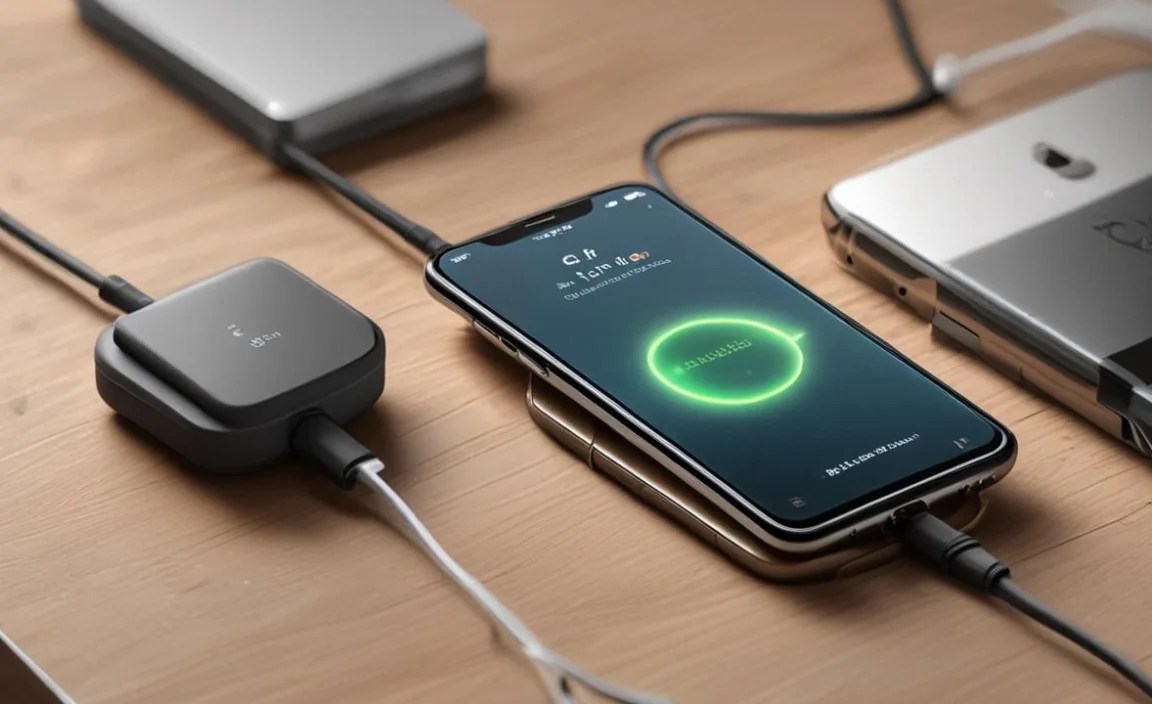
- The “Park and Charge”: Make it a habit to place your phone on the charging pad as soon as you settle into the driver’s seat. This ensures your phone is charging throughout your journey, whether it’s a short commute or a long drive.
- Navigation and Entertainment Hub: Keep your phone charged and ready for streaming music, using navigation apps (like Google Maps or Waze), or making hands-free calls. The wireless charger ensures these essential functions remain available without battery anxiety.
- Reduce Cable Clutter: Embrace the clean aesthetic of the EQE 350+ interior by foregoing extra charging cables. The wireless pad keeps the cabin tidy and free from tangles.
- Prepare for the Unexpected: A fully charged phone is crucial for emergencies, for contacting roadside assistance, or simply for staying connected if your plans change. The wireless charger ensures your device is always ready.
Future-Proofing Your EQE 350+ Experience

The wireless charging technology present in your EQE 350+ aligns with the automotive industry’s trend towards seamless integration of personal devices. As smartphone technology evolves, so too will wireless charging. Future iterations may offer faster speeds, longer ranges, and greater compatibility. By utilizing the current system effectively, you’re already experiencing the leading edge of in-car device charging convenience.
For those interested in the broader impact of such technologies, discussions on the future of electric vehicle interiors and integrated technology can often be found on reputable automotive engineering and technology websites. The trend is clear: a more connected, convenient, and cable-free future for driving.
Frequently Asked Questions (FAQ)
Q1: What is the wireless charging standard used in the Mercedes-Benz EQE 350+?

The EQE 350+ utilizes the Qi wireless charging standard, which is the most widely adopted standard globally for inductive charging. This ensures compatibility with a vast range of modern smartphones.
Q2: How do I know if my phone is compatible with the EQE 350+ wireless charger?

To check compatibility, verify if your smartphone model supports Qi wireless charging. This information is usually found in your phone’s specifications on the manufacturer’s website or tech review sites. Most flagship phones from major brands in recent years are Qi-compatible.
Q3: Can I charge my phone if it has a case on it?

Yes, you can often charge your phone with its case on, provided the case is not too thick and does not contain any metal or magnetic components. Extremely thick rugged cases or cases with embedded metal plates might interfere with charging or prevent it altogether.
Q4: Is wireless charging faster than wired charging in the EQE 350+?

Generally, no. Wireless charging is designed for convenience and is typically slower than wired charging, especially compared to fast-charging USB-C solutions. It’s ideal for maintaining your battery level during drives rather than rapid charging.
Q5: Where is the wireless charging pad located in the EQE 350+?

The wireless charging pad is typically located in the front center console, often in a dedicated compartment or a recessed area. Look for specific markings or a rubberized surface indicating the charging zone.
Q6: What should I do if my phone is not charging wirelessly?

First, ensure your phone is Qi-compatible and placed correctly on the center of the pad. Remove the case temporarily to see if that resolves the issue. Also, confirm the vehicle is on and check for any indicator lights that might signal an error. Restarting both your phone and the vehicle can sometimes help.
Q7


