
Citan Van Rearview Camera Review: Essential Upgrade
A Citan van rearview camera is an essential upgrade for enhancing safety and convenience. It significantly reduces blind spots, aids in parking and maneuvering in tight spaces, and provides greater situational awareness, making every journey more secure and stress-free.
The Mercedes-Benz Citan van is a versatile workhorse, perfect for urban deliveries and trade tasks. However, like many compact vans, its inherent design can lead to challenging blind spots, especially when reversing or navigating tight alleyways. This is where a rearview camera transforms the driving experience. For any Citan owner looking to boost safety and simplify daily operations, a well-chosen rearview camera isn’t just a luxury—it’s a fundamental enhancement. Let’s explore why.
Why a Rearview Camera is a Must-Have for Your Citan Van

Driving a Citan van often means navigating busy city streets, crowded parking lots, and tight loading bays. While the Citan offers excellent utility, its dimensions can make precise maneuvering tricky, particularly in reverse. Blind spots are a common concern, increasing the risk of minor collisions or damage to the vehicle and surrounding property. A rearview camera directly addresses this by providing a clear, wide-angle view of what’s behind your van, displayed conveniently on a dashboard screen.
This technology significantly increases your situational awareness. You can instantly see obstacles, pedestrians, children, or other vehicles that might be hidden from your mirrors. This makes parking much easier, speeds up loading and unloading processes, and, most importantly, dramatically improves safety for everyone around your van. For professional drivers, this upgrade means fewer accidental bumps, less downtime for repairs, and a smoother, more confident operation.
The National Highway Traffic Safety Administration (NHTSA) strongly recommends rearview visibility systems, highlighting their role in preventing backover accidents, which commonly involve small children and the elderly. For a commercial vehicle like the Citan, where efficiency and safety are paramount, a rearview camera is an investment that pays for itself many times over.
Choosing the Right Citan Van Rearview Camera System

When selecting a rearview camera for your Citan van, there are several key factors to consider to ensure you get a system that meets your needs. The market offers a variety of options, from basic camera units to more integrated systems.
Types of Rearview Camera Systems
Standalone Cameras: These are typically universal cameras that can be mounted on the exterior of the van. They connect to a separate display screen, which can be a dedicated monitor or a compatible aftermarket head unit.
Integrated OEM Systems: Some Citan models might come with or have options for factory-integrated rearview cameras. These are often the most seamless solution, with the camera built into the tailgate or license plate housing and the display integrated into the infotainment system.
Mirror Monitors: These systems replace your existing interior rearview mirror with one that has a built-in screen. The camera feeds directly to this mirror, providing a clear view behind you without adding another device to the dashboard.
Key Features to Look For
Image Quality: Look for cameras with good resolution (e.g., 720p or higher) and clear night vision capabilities, often achieved through infrared (IR) LEDs. This ensures visibility in various lighting conditions.
Field of View: A wider angle (120-170 degrees) is generally better, as it captures more of the area behind your van.
Durability and Weatherproofing: Since the camera will be mounted externally, it needs to be robust and weatherproof (look for IP67 or IP68 ratings).
Display Type and Size: Consider where you want the display to be located and its size. Smaller screens might be less intrusive but harder to see, while larger ones can be distracting.
Parking Lines: Many cameras offer dynamic or static parking guide lines that overlay on the video feed, helping you gauge distance and trajectory.
Ease of Installation: While professional installation is often recommended, some systems are designed for DIY fitting.
Our Top Picks (Hypothetical Scenarios for Citan)
Given the Citan’s purpose, we’re looking for reliability, clear visibility, and ease of use.
System A: The Seamless OEM Upgrade
Description: A factory-style camera, often integrated near the tailgate handle, displaying on the Citan’s existing MBUX infotainment screen (if equipped).
Pros: Factory integration, optimal display placement, often includes dynamic guide lines.
Cons: Can be more expensive if not pre-equipped, requires professional installation.
System B: The Versatile Universal Kit
Description: A robust, weather-sealed camera with a separate 5-inch LCD monitor that can be mounted on the dash or windshield.
Pros: Universal fit, widely available, often more budget-friendly, flexible mounting options.
Cons: Additional component on the dash, potential for slightly less crisp video quality compared to OEM.
System C: The Smart Mirror Solution
Description: A replacement rearview mirror with an integrated screen, paired with a discreet camera.
Pros: Dual functionality, keeps the dash clear, intuitive operation.
Cons: Screen size is limited by mirror dimensions, can be pricier than basic kits.
Installation Guide: A Step-by-Step Overview
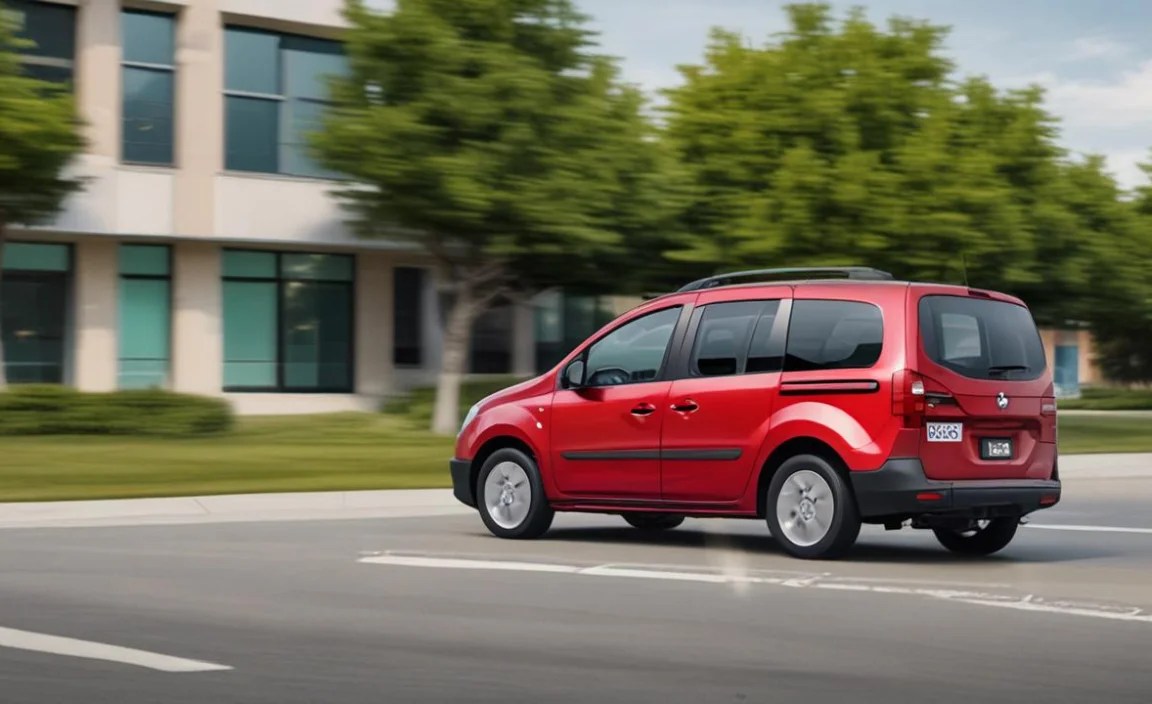
Installing a rearview camera system in your Mercedes-Benz Citan van can range from a simple DIY project to a more involved process, depending on the system chosen. For most aftermarket kits, here’s a general overview of the steps involved. It’s always recommended to consult your specific product’s manual and consider professional installation if you’re not comfortable with automotive wiring.
Tools and Materials You Might Need
Rearview camera kit (camera, display, wiring harness)
Drill and various drill bits (if mounting camera externally)
Screwdrivers (Phillips and flathead)
Wire strippers and crimpers
Electrical tape or heat shrink tubing
Zip ties for cable management
Trim removal tools (plastic pry tools)
Multimeter (for checking power sources)
Safety glasses
Pre-Installation Checklist
1. Read Your Manual: Thoroughly understand the specific installation instructions for your chosen camera kit.
2. Test the System: Before mounting anything permanently, connect the camera and display to a temporary 12V power source to ensure they function correctly.
3. Plan Cable Routing: Identify the most efficient and discreet path for the video cable to run from the camera at the rear to the display at the front.
Step-by-Step Installation Process
This guide assumes an aftermarket camera and monitor installation.
1. Mounting the Camera
Location: The most common locations are above the rear license plate or on the tailgate itself. Some van owners opt for a hole drilled just above the tailgate handle.
Drilling: If you need to drill, use a small pilot hole first, then progressively larger bits. Always check for obstructions behind the mounting spot.
Securing: Mount the camera firmly using the provided hardware. Ensure it’s angled correctly to provide the best view without capturing too much of the van’s bodywork.
Weatherproofing: Seal any drilled holes with silicone sealant to prevent water ingress.
2. Running the Video Cable
Rear to Front: The video cable (often an RCA or proprietary connector) needs to be routed from the rear of the van to the dashboard.
Grommets and Channels: Utilize existing rubber grommets in the van’s bodywork (often where wiring passes into the tailgate) to pass the cable through. If none are suitable, you might need to drill small, carefully sealed holes.
Interior Routing: Once inside the cabin, route the cable along door sills, under carpets, or behind trim panels to keep it tidy and out of the way. Use zip ties to secure it.
3. Powering the Camera and Display
Camera Power: Most cameras require a 12V power source at the rear of the vehicle. This can often be tapped from the reverse light circuit. When the van is put into reverse, the camera will turn on.
Tapping Reverse Lights: Identify the reverse light wires (usually two wires at the bulb socket). Connect the camera’s positive wire to the reverse light’s positive wire and the camera’s ground wire to the vehicle’s chassis or the light’s ground wire. Use a suitable wire connector.
Display Power: The display unit will need a connection to a 12V power source and often an ignition-switched source so it only operates when the engine is on or in accessory mode. Many systems include a cigarette lighter adapter for easy power. Alternatively, you can tap into the fuse box using a fuse tap.
4. Connecting the Video Cable
Rear to Front Connection: Connect the video cable from the camera to the input port on the display unit.
Trigger Wire (if applicable): Some systems have a ‘trigger’ wire that tells the display to activate when reverse gear is selected. This wire usually needs to be connected to the same reverse light positive wire that powers the camera.
5. Mounting the Display
Options: The display can be mounted on the dashboard using adhesive pads, attached to the windshield with a suction cup, or integrated into a custom dash panel.
Visibility: Ensure the display is positioned so it doesn’t obstruct your view of the road and is easily visible without being too distracting.
6. Final Checks and Testing
Secure Everything: Double-check all connections and ensure all wires are neatly secured and hidden.
Test: Start the engine, put the van in reverse, and verify that the camera image appears on the display. Check the angle and adjust if necessary. Test the parking lines if your system has them.
Benefits of a Citan Van Rearview Camera

Upgrading your Citan van with a rearview camera delivers a multitude of advantages that directly impact your daily driving experience and the overall safety of your operation.
Enhanced Safety
Blind Spot Elimination: The primary benefit is the drastic reduction of blind spots. You gain visibility of low-lying objects, children, pets, or other vehicles that are impossible to see using mirrors alone.
Reduced Risk of Accidents: By providing a clear view behind the vehicle, it significantly lowers the chance of accidental collisions when reversing, which can save you from costly repairs and insurance claims.
Pedestrian and Cyclist Safety: In urban environments, where pedestrians and cyclists are common, a rearview camera is a crucial safety feature to prevent incidents.
Improved Maneuverability and Convenience
Easier Parking: Parallel parking, bay parking, and maneuvering into tight spaces become far less stressful. The visual guide helps you position the van accurately.
Precise Trailer Hooking: For Citan owners who tow trailers, a rearview camera makes the often-frustrating process of hitching a trailer much simpler.
Navigating Complex Environments: Reversing into driveways, loading docks, or narrow streets is made manageable and less anxious.
Increased Efficiency and Reduced Costs
Less Vehicle Damage: Fewer accidental bumps and scrapes mean less time in the workshop and lower repair bills.
Faster Operations: Confident maneuvering can speed up loading and unloading tasks, contributing to overall efficiency for businesses.
Peace of Mind: Knowing you have an extra layer of safety and a clear view behind you provides significant peace of mind, reducing driver fatigue and stress.
Citan Van Rearview Camera vs. Parking Sensors

It’s common to compare rearview cameras with parking sensors, but they serve different, albeit often complementary, functions.
| Feature | Rearview Camera | Parking Sensors |
|---|---|---|
| Function | Provides a visual image of the area behind the vehicle. | Detects objects within a specific proximity using ultrasonic waves and emits audible alerts. |
| What You See/Hear | A live video feed. May include static or dynamic guide lines. | Audible beeps that increase in frequency as you get closer to an object. Often displayed visually on a dashboard screen showing proximity. |
| Blind Spot Coverage | Excellent, covers a wide area behind the van. | Limited to the range of the sensors (typically a few feet). Does not eliminate all blind spots. |
| Object Identification | Very good. You can visually identify objects, people, and their distance. | Good for detecting obstacles but cannot visually identify them. |
| Low-Light Performance | Varies by camera quality, but good systems have excellent low-light and night vision. | Less affected by ambient light; performance is consistent regardless of lighting. |
| Installation Complexity | Can be more complex due to video cable routing and display mounting. | Generally simpler, involving sensor mounting and connection to an alert module. |
| Cost | Can range from moderately affordable to expensive for high-end or integrated systems. | Typically more affordable than good quality camera systems. |
| Best Use Case | Essential for eliminating blind spots, judging distance for precise maneuvers, and overall safety. | Useful as an audible warning for unavoidable close-proximity objects, especially in poor visibility. |
While parking sensors provide valuable proximity alerts, a rearview camera offers a much more comprehensive and intuitive understanding of your surroundings. Many drivers find that the combination of both systems offers the highest level of safety and confidence when reversing their Citan van. For instance, using a camera helps you avoid the initial impact, while sensors offer a final audible warning if you get too close to an unseen object.
Maintaining Your Citan Van Rearview Camera System
To ensure your rearview camera system continues to perform optimally, a little regular maintenance goes a long way.
Keep the Lens Clean: The camera lens is exposed to the elements. Dirt, dust, mud, and snow can obscure the view. Regularly wipe the lens with a soft, lint-free cloth. A mild glass cleaner can be used if necessary.
Check Connections: Periodically inspect the wiring connections, especially at the camera and any junction points, to ensure they are secure and free from corrosion.
Verify Display Functionality: Make sure the display unit is working correctly each time you drive. Check for any dead pixels or flickering.
Inspect Mounting: Ensure the camera and display are still securely mounted and haven’t loosened over time due to vibrations.
* Software Updates (if applicable): Some more advanced systems might have firmware that can be updated. Check the manufacturer’s website periodically.
By following these simple maintenance tips, you can maximize the lifespan and reliability of your Citan van’s rearview camera system.
***
Frequently Asked Questions (FAQ)
Q1: Is a rearview camera mandatory for my Citan van?
In many regions, rearview cameras are mandatory for new vehicles sold after a certain date. However, regulations can vary. Regardless of mandates, it is highly recommended for safety and convenience, especially for commercial vehicles like the Citan.
Q2: Can I install a rearview camera on any Citan van model?
Yes, aftermarket rearview camera systems are designed to be universal and can be fitted to virtually any Citan van, regardless of its trim level or year of manufacture. Factory-integrated options may depend on the original specifications.
Q3: How much does a Citan van rearview camera typically cost?
The cost varies. Basic aftermarket camera kits with a small screen can range from $50-$150. More advanced systems with higher resolution, larger screens, or mirror integration can cost between $200-$500 or more. Professional installation will add to the total cost, typically an additional $100-$300.
Q4: Will a rearview camera work in the dark?
Most modern rearview cameras have built-in infrared (IR) LEDs that provide illumination, allowing them to ‘see’ in low-light conditions and complete darkness. The image quality may be black and white in such conditions, but it will be functional.
Q5: Can I use my existing infotainment screen for the camera display?
If your Citan van is equipped with a compatible Mercedes-Benz infotainment system (like MBUX), you might be able to integrate a camera system that displays on that screen. This often requires specific interface modules or factory-approved cameras.
Q6: What is the difference between static and dynamic parking lines?
Static parking lines are fixed and do not change their angle. Dynamic parking lines (or trajectory lines) move with your steering wheel, showing you the projected path of your wheels as you turn, which is a more helpful feature for precise maneuvering.
Q7: How do I know if my Citan van has a factory-fitted camera?
Check the vehicle’s original specification sheet or visit a Mercedes-Benz dealership with your VIN (Vehicle Identification Number) for confirmation. Visually, a factory camera is usually integrated discreetly into the tailgate or license plate area


